
Для брендов DTC и объявлений об образе жизни на торговой площадке
Генератор сцен с товарами на ИИ — бесплатный инструмент для e-commerce
Автор: Команда FreeMake.cc по обработке изображенийПоследнее обновление:
Загрузите снимок выреза или простого продукта и мгновенно создайте фотореалистичную среду.
- Используйте чистый пэкшот или сначала удалите фон для достижения наилучших результатов.
- Выберите кухню, спальню, кафе, пляж, люкс или сезонные предустановки.
- Загрузите изображение сцены или восстановите его в другом стиле.
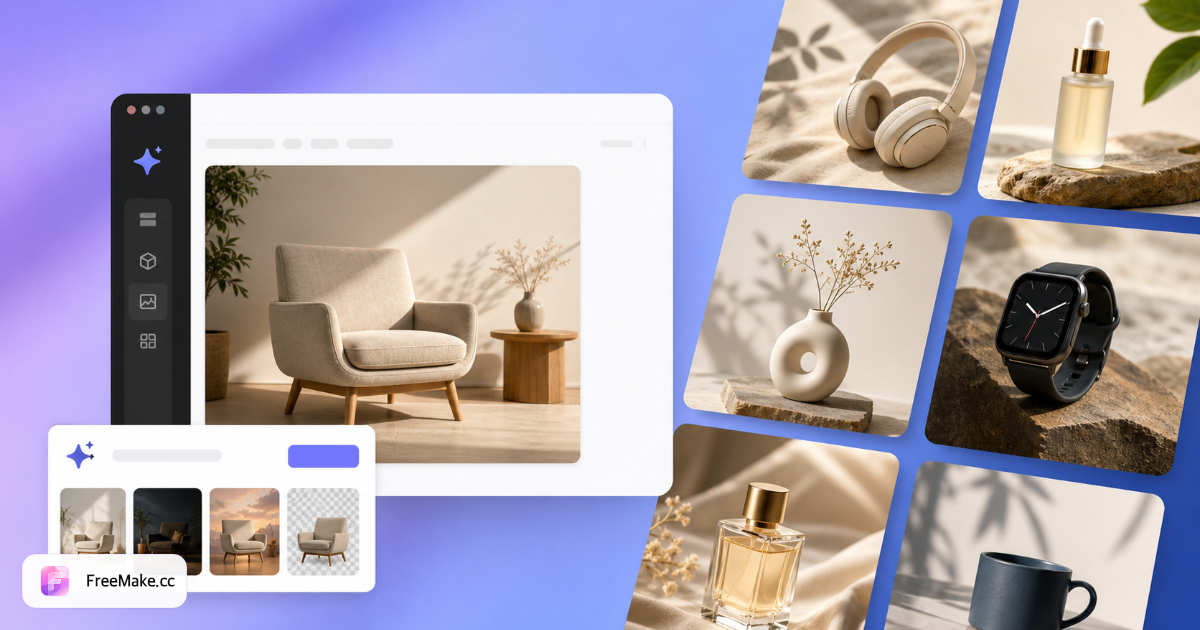
Как создавать сцены образа жизни продукта с помощью ИИ
Превратите обычные пэкшоты в кухню, спальню, кафе, пляж и сезонную обстановку. ИИ сочетает освещение и тени, поэтому продукты выглядят естественно, а не наклеены на фондовый фон.
Загрузите фотографию товара или вырез
Чистые пэкшоты; прозрачные вырезы PNG обеспечивают наиболее точное размещение. Сначала удалите фон для лучшего качества теней.
Выберите предустановки сцены или опишите пользовательские
Выберите кухню, гостиную, кафе, пляж, люкс или сезонные шаблоны. Каждый пресет показывает эталонную миниатюру на рабочем столе.
Сгенерировать и уточнить
Один кредит на сцену/стиль. Скачайте JPG/PNG или регенерируйте в другой среде, пока композиция не будет соответствовать вашему бренду.
Сочетание с рабочим процессом героя на белом фоне
Используйте сцены образа жизни для дополнительных слотов галереи; генерируйте основные изображения Amazon отдельно с помощью генератора изображений продукта или инструмента белого фона.
Почему сценки с продуктами в стиле жизни увеличивают кликабельность
Покупатели представляют продукты у себя дома. Генерация сцен ИИ заменяет дорогостоящие локационные съемки, когда у вас есть только студийный пэкшот.
Заполните слоты галереи без бюджетов местоположения
Бренды DTC и продавцы маркетплейсов добавляют контекст кухни, спальни и улицы из одной критически важной загрузки для глубины мобильной прокрутки.
Быстро протестируйте сезонные кампании
Поменяйтесь настройками пляжа, отпуска или кафе, прежде чем совершить полную фотосессию для коллекций за четвертый квартал или лето.
Постоянная тень и освещение
ИИ-композиты подбирают освещение продукта к сцене чище, чем ручные вырезы Photoshop для не-дизайнеров.
Сравнение FreeMake.cc и Pebblely, Mokker и искусственного интеллекта Canva
Генераторы сцен отличаются качеством выреза, предустановленной глубиной и интеграцией рабочего процесса продавца. FreeMake.cc нацелен на продавцов электронной коммерции, которые также нуждаются в соблюдении и изменении размера на том же домене.
| Feature | FreeMake.cc | Pebblely | ИИ Canva |
|---|---|---|---|
| Предустановки кухня / кафе / пляж | Yes | Yes | Templates |
| Рекомендуемый рабочий процесс вырезки | Связанный инструмент удаления-bg | Built-in | Built-in |
| Цепочка инструментов электронной коммерции на том же сайте | Сжатие, соответствие | Export | Дизайн люкс |
| Пользовательская подсказка сцены | Yes | Varies | Yes |
| Кредиты на сцену | 1 з.е | Subscription | план PRO |
Выходы на сцену и передовой опыт
Загрузки - это JPG/PNG для галерей Shopify, контент Amazon A+ и социальная реклама. Убедитесь, что масштаб продукта выглядит реалистично - ИИ может преувеличивать размер в широкоугольных помещениях.
Удалите фон перед генерацией, когда тени выглядят плоскими. Сжимайте выходные данные перед загрузкой, если файлы превышают лимиты торговой площадки.
- Кухня / спальня — товары для дома и декор
- Кафе / открытый — продукты питания, напитки и стили жизни
- Сезонные пресеты — праздничные и летние кампании
- Сначала вырез — прозрачный PNG для естественных теней
Часто задаваемые вопросы о генераторе сцены продукта
- Нужно ли сначала удалить фон?
Не требуется, но чистый вырез дает наиболее точные тени и размещение.
- Могу ли я использовать собственное описание сцены?
Да — выберите предустановку или опишите пользовательскую среду в подсказке.
- Реалистичны ли тени и освещение?
ИИ сопоставляет освещение продукта со сценой для натуральных композитов.
- Какие продукты работают лучше всего?
Товары для дома, косметика, еда, модные аксессуары и электроника - все это работает хорошо.
- Должен ли я сначала удалить фон?
Необязательно, но рекомендуется — чистые вырезы обеспечивают лучшие тени и размещение.
- Сколько квот на сцену?
Каждая комбинация сцена/стиль стоит один кредит ИИ.
- Можно ли просмотреть стили сцены перед созданием?
Да — каждая предустановка сцены отображает эталонную миниатюру в сетке параметров рабочего стола.
- Формат вывода
Загрузки JPG/PNG с фирменными именами файлов — используйте сжатие, если файлы слишком велики.
Другие бесплатные инструменты
Другие утилиты FreeMake.cc в браузере — быстрые ссылки.