
Для дизайнеров печати и команд, которые все еще нуждаются в EPS
PNG/JPG в EPS – бесплатно
Автор: Команда FreeMake.cc по обработке изображенийПоследнее обновление:
Локальное отслеживание с загрузкой EPS
- Трассировка растровых изображений к путям PostScript
- Пакет до 10 изображений
- 100% локальная обработка
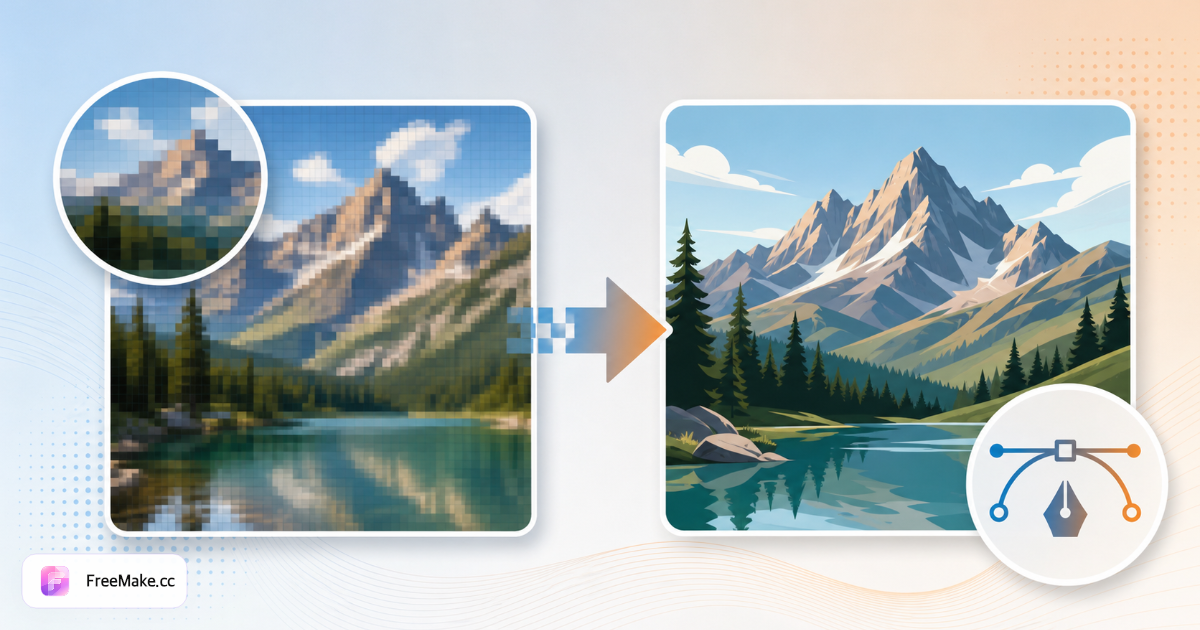
Как конвертировать растровое изображение в EPS для печати
Поставщики печати и устаревшие потоки работы в Illustrator часто требуют векторные контуры EPS вместо логотипов PNG. FreeMake.cc bitmap-to-eps преобразует плоские изображения в EPS локально с предварительным просмотром в браузере — идеально подходит для упаковочных образцов и оптовых брендовых материалов.
Загрузите логотип или плоскую графику PNG/JPG
Лучше всего прослеживаются высококонтрастные фирменные знаки. Сначала удалите занятые фотографические фоны - EPS предназначен для векторов, а не для фотографий продуктов.
Выполнить трассировку вектора до EPS
Предварительный просмотр верности пути на буквах и зарегистрированных символах товарных знаков. Небольшой текст может потребовать упрощения или ручной подстановки в Illustrator после экспорта.
Загрузить EPS для передачи поставщику
Отправляйте в упаковочные принтеры, вышивальные магазины или розничным покупателям, которым требуются активы векторного бренда наряду с фотографией SKU.
Архивировать мастер PNG отдельно
Сохраняйте растровые оригиналы для списков электронной коммерции, пока EPS обслуживает печать. Высококачественные крошечные логотипы перед трассировкой, если исходные пиксели имеют ширину менее 500 пикселей.
Почему EPS по-прежнему имеет значение для мерчандайзинга
Цифровые продавцы по-прежнему касаются физической упаковки, ярлыков и баннеров на выставках. EPS объединяет рабочие процессы Amazon JPG и требования к типографии.
Карточки упаковки и вкладыша
Заводы запрашивают логотипы EPS для штампов из фольги и коробок для высечки из утвержденных наборов брендов PNG, не дожидаясь проектных агентств.
Профессионализм в оптовых продажах
Векторные логотипы на B2B PDF-файлах масштабируются аккуратно рядом с таблицами продуктов - растровые логотипы выглядят как любительские на широкоформатных презентациях покупателей.
Локальная трассировка перед публичным ребрендингом
Скрытые ребренды остаются на машине до дня запуска - никаких копий конфиденциальных отметок в облачном конвертере.
FreeMake.cc против CloudConvert, Convertio и Illustrator Trace
CloudConvert загружает источники для серверного экспорта EPS. Illustrator Image Trace является золотым стандартом, но доступен только на десктопе. FreeMake.cc предлагает быстрый экспорт EPS через браузер для простых логотипов.
| Feature | FreeMake.cc | CloudConvert | Illustrator |
|---|---|---|---|
| Растровое изображение для экспорта EPS | Да — браузер | Server | Классическое приложение |
| Фокус на логотипах / плоском искусстве | Yes | General | Professional |
| Опция локальной обработки | Yes | No | Yes |
| Фото в EPS | Не рекомендуется | Possible | Possible |
| Бесплатный быстрый экспорт | Yes | Limited | Subscription |
Форматы EPS и SVG и AI
EPS (инкапсулированный PostScript) остается общим с более старыми RIP для печати и поставщиками упаковки. SVG обслуживает современный Интернет; ИИ является родным Adobe Illustrator - выбирайте EPS, когда спецификация поставщика явно запрашивает его.
Трассировка из PNG с прозрачным фоном после удаления фона для более чистых краев. Фотографии со списком продуктов должны оставаться JPG - никогда не конвертируйте фотографии в EPS для героев Amazon.
- EPS — печать, вышивка, унаследованные трубопроводы поставщиков
- SVG — веб-темы, когда EPS не требуется
- ИИ — дальнейшее редактирование в Illustrator (инструмент .ai)
- Ввод логотипа PNG — прозрачный, высококонтрастный
Часто задаваемые вопросы о растровом изображении в EPS
Экспортировать примечания
- Что такое eps?
EPS (Encapsulated PostScript) — это векторный формат, который широко используется в печати и старых инструментах для настольной публикации.
- Можно ли редактировать файл EPS?
Пути экспортируются в виде заполненных фигур. Сложные правки легче выполнять в специализированных векторных приложениях после импорта.
- Нужен SVG?
Используйте конвертер SVG для веб-инструментов и современных инструментов проектирования.
- Зачем экспортировать EPS?
EPS является общим для поставщиков печати и старых конвейеров Illustrator, нуждающихся в векторных очертаниях.
- Вместо SVG или AI?
Используйте SVG для web или AI для нативных файлов Illustrator.
- Фото в EPS?
Не рекомендуется использовать фотографии в формате JPG/PNG. EPS подходит для логотипов и плоской графики.
- Прозрачный фон?
Сначала удалите фон для более чистых векторных краев на логотипах.
- Поддержка партии?
Обрабатывайте файлы по одному с предварительным просмотром перед загрузкой.
Другие бесплатные инструменты
Другие утилиты FreeMake.cc в браузере — быстрые ссылки.