
Для дизайнеров, продавцов и маркетологов, которым нужен масштабируемый SVG
PNG/JPG в SVG – бесплатно
Автор: Команда FreeMake.cc по обработке изображенийПоследнее обновление:
Трассировка на основе браузера с загружаемым SVG
- Трассировка растровых изображений к векторным путям
- Пакет до 10 изображений
- 100% локальная обработка
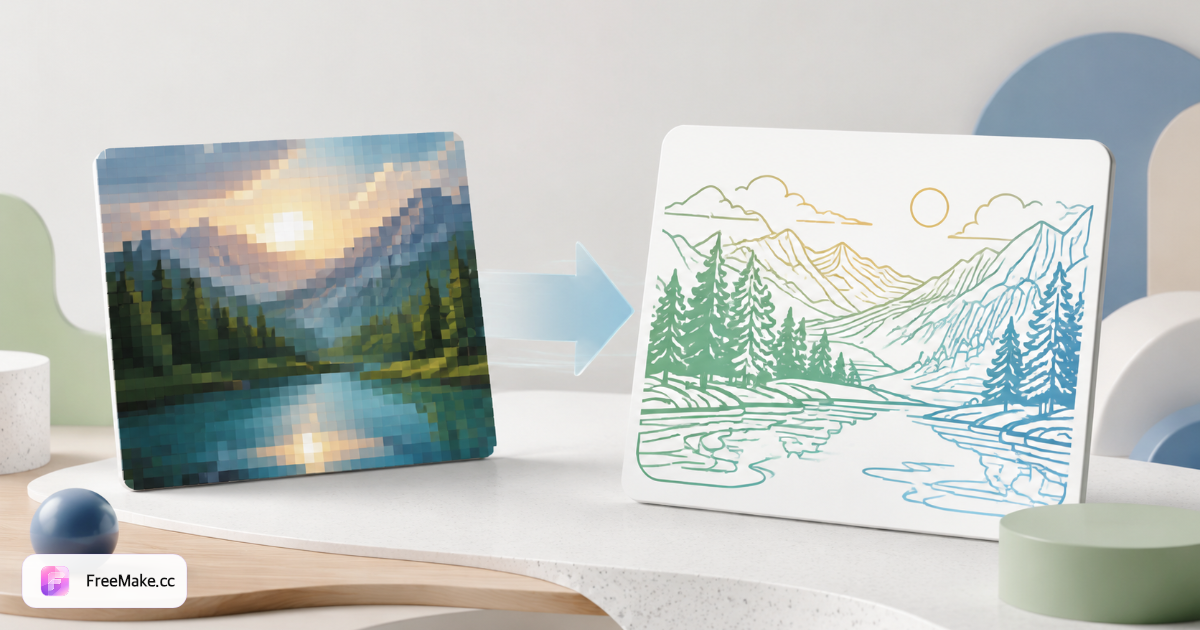
Как конвертировать растровое изображение в SVG онлайн
Логотипы и иконки на витринах маркетплейсов требуют бесконечной масштабируемости без размытия. FreeMake.cc bitmap-to-svg преобразует изображения PNG/JPG в векторные SVG прямо в вашем браузере — вы можете предварительно просмотреть результат перед загрузкой, без необходимости загружать файлы для стандартного трассирования.
Загрузите высококонтрастный логотип или значок
Плоские фирменные знаки, символы упаковки и линия-арт четко прослеживаются. Фотографии и градиенты - плохие кандидаты SVG - придерживаются логотипов продавцов и значков пользовательского интерфейса.
Отрегулируйте чувствительность к трассировке, если
Более высокая детализация фиксирует небольшие штрихи; более низкая детализация упрощает шумное сканирование. Начните с самого большого PNG, который у вас есть, сначала скромно масштабируйте небольшие растровые логотипы.
Предварительный просмотр векторных путей
Увеличьте масштаб кривых и углов перед экспортом. Упростите слишком сложные контуры, которые увеличивают размер SVG-файла в ресурсах темы Shopify.
Скачайте SVG-файл для передачи на разработку веб-сайта или дизайна.
Используйте в заголовках тем, значках сайтов и готовых к печати фирменных комплектах. Нужен формат EPS или AI для поставщиков? Воспользуйтесь инструментами преобразования растровых изображений в EPS или AI.
Почему векторные логотипы важны для брендов
Растровые логотипы размываются на дисплеях Retina и крупноформатных макетах упаковки. Формат SVG обеспечивает продавцам, работающим по модели прямых продаж потребителям (DTC), четкое брендирование в различных темах оформления, счетах-фактурах и прайс-листах для оптовых закупок.
Четкие логотипы шапки Shopify
Тематические логотипы масштабируются до мобильных устройств и 4K без реэкспорта от дизайнеров - отслеживайте один раз из устаревших пакетов брендов JPG.
Меньшие ресурсы для быстрых тем
Простые SVG загружаются быстрее, чем тяжелые логотипы в формате PNG — поддерживают Core Web Vitals на индивидуальных витринах.
Конфиденциальность локальной трассировки
Невыпущенные ребрендинговые знаки остаются на устройстве - нет загрузки Vectorizer.ai во время скрытых запусков.
FreeMake.cc против Vectorizer.ai, Autotracer и Convertio
Vectorizer.ai предоставляет премиальные трассировки ИИ через загрузку. Autotracer и Convertio работают на стороне сервера. FreeMake.cc отслеживает локально простые логотипы со ссылками на цепочку инструментов продавца.
| Feature | FreeMake.cc | Vectorizer.ai | Autotracer |
|---|---|---|---|
| Локальная трассировка браузера | Yes | Облачный ИИ | Загрузка с сервера |
| Акцент на логотипе/иконе | Optimized | ИИ общий | General |
| Загрузка SVG | Yes | Yes | Yes |
| Фото в SVG | Не рекомендуется | Possible | Poor |
| Бесплатно без регистрации | Yes | Оплаченные кредиты | Свободные лимиты |
Рекомендации по отслеживанию SVG
SVG (векторная графика с масштабированием) хранит контуры и заливки — идеально подходит для логотипов с однотонными цветами. Градиенты упрощаются до плоских форм при базовом трассировании; сложные иллюстрации требуют ручного векторного перерисовывания.
Удалите цветные фоны с помощью remove-background перед трассировкой логотипов, снятых на бесшовной бумаге. Экспортируйте в EPS или AI, если печатные компании отклоняют SVG.
- SVG — веб-логотипы, иконки, тематические ресурсы
- Вход PNG — высококонтрастная плоская графика
- Не для фотографий — используйте JPG для объявлений о товарах
- Цепочка EPS/AI — рабочие процессы печати и иллюстрации
Часто задаваемые вопросы о растровом изображении в SVG
Трассировка примечаний по качеству и формату.
- Это действительно бесплатно?
Да. Трассировка выполняется в вашем браузере без регистрации.
- Фотографии хорошо векторизируются?
Плоская графика и логотипы работают лучше всего. Сложные фотографии могут выглядеть плакатно.
- Нужен EPS или AI?
Используйте наши ИИ-конвертеры, совместимые с EPS или Illustrator.
- Какие изображения векторизуются лучше всего?
Лучше всего работают высококонтрастные логотипы, иконки и линейное оформление. Фотографии не идеальны для трассировки SVG.
- Нужен ИИ Illustrator или EPS?
Используйте наши инструменты экспорта EPS или AI для рабочих процессов Adobe.
- Сохранятся ли цвета?
Простые палитры четко трассируются; градиенты могут упрощаться до плоских форм.
- Высококлассный растр перед трассировкой?
Умеренный апскейл может помочь неровным логотипам - сначала попробуйте апскейлер на небольших источниках.
- Локальная обработка?
Трассировка выполняется в вашем браузере - нет загрузки для стандартного экспорта растровых изображений в SVG.
Другие бесплатные инструменты
Другие утилиты FreeMake.cc в браузере — быстрые ссылки.