
Парные фото с ИИ
Upload two portraits and generate a full romantic couple photo set
Загрузить парные фото и создать
Загрузите чёткие портреты обоих партнёров отдельно.
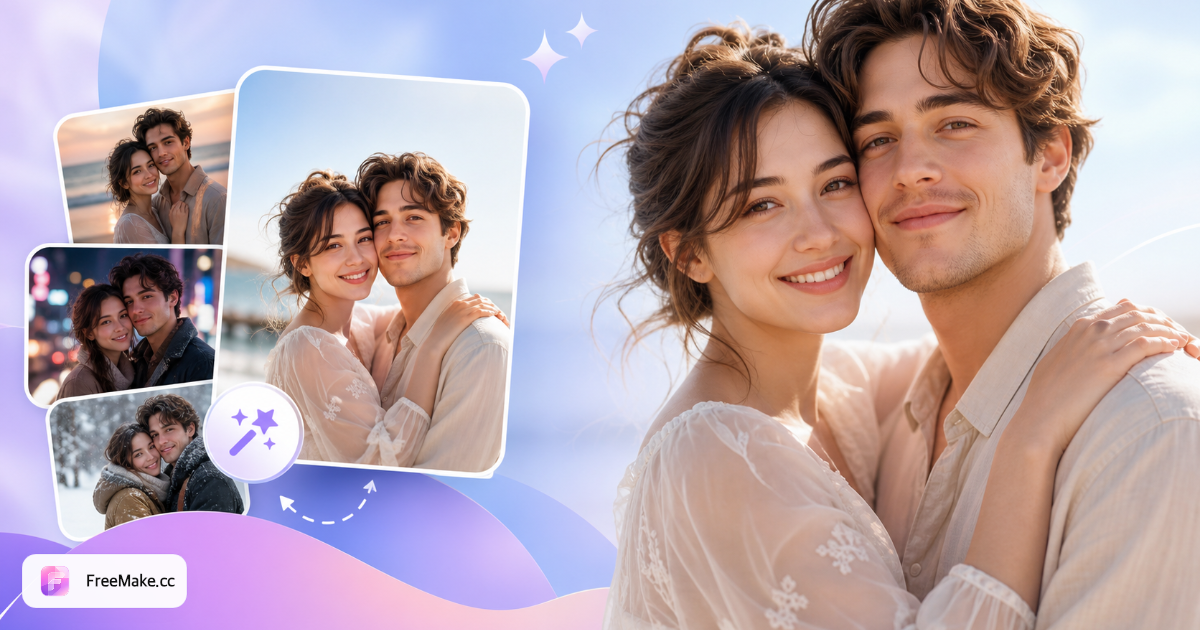
Настройка стиля для пары
Выберите сцену, стиль и настроение для реалистичных парных editorial-снимков.
Как создать парные фото с ИИ
Загрузите два портрета, выберите стили для свидания, путешествия или кинематографичный и создайте согласованный романтический парный набор.
Загрузить портреты партнёров A и B
По одному чёткому портрету — похожее освещение помогает естественному взаимодействию в наборе.
Выбрать сцену и наряды
Сцены в кафе, парке, на пляже или в книжном магазине с casual или smart-casual нарядами.
Задать настроение и стиль фото
Тёплые, кинематографичные, плёночные или travel-diary настроения направляют цвет и композицию.
Сгенерировать и скачать
Кредиты за запуск; настраивайте конфигурацию и генерируйте заново, пока результат не понравится.
Зачем создавать парные фото с ИИ
Отлично подходит для годовщин, объявлений на расстоянии, профилей в соцсетях и предварительных стилевых тестов перед поездкой.
Недорогое изучение стилей
Предпросмотр образов для свиданий, путешествий и плёночного стиля без бронирования фотографа.
Ритуал для пар на расстоянии
Объедините отдельные портреты в общие кадры, когда невозможно сняться вместе.
Наборы для соцсетей
Согласованные наборы из нескольких изображений хорошо подходят для сеток и stories.
FreeMake.cc vs селфи или студийные съёмки
Наборы с ИИ дополняют селфи — они не заменяют живую химию и освещение на локации.
| Фактор | FreeMake.cc | Селфи с телефона | Студийный пакет |
|---|---|---|---|
| Композит в одном кадре | Из двух фото | Лично | Лично |
| Разнообразие стилей | Много пресетов | Ограничено | Один образ |
| Конфиденциальность | Загрузка за запуск | Локально | Съёмка третьей стороной |
| Стоимость | За набор | Низкий | Высокий |
| Документальное ощущение | Стилизовано | Аутентично | Наиболее аутентично |
Вывод и советы
JPG подходит для соцсетей и цифровых рамок — уточните разрешение для печати.
- Согласуйте ракурс и освещение между партнёрами
- Используйте кинематографичные или плёночные пресеты для годовщин
- Используйте свадебную тему для bridal-наряда
- Получите согласие партнёра перед генерацией
FAQ: парные фото с ИИ
- Сколько фото загрузить?
- Загрузите по одному чёткому портрету на каждого партнёра.
- Какие стили поддерживаются?
- Свидание, путешествие, кинематографичный, плёночный, лайфстайл и другие парные editorial-стили.
- Сколько изображений в наборе?
- Каждый запуск создаёт несколько поз и взаимодействий в едином наборе.
- Фото загружаются?
- Да — референсные фото загружаются для обработки ИИ.
- Модель оплаты?
- Используются те же кредиты аккаунта, что на главной; каждый запуск расходует платные или бонусные кредиты — ежедневные бесплатные не принимаются.
- Парные фото vs свадебный инструмент?
- Парные фото — романтические повседневные сцены; свадебный инструмент добавляет bridal-стилизацию.
- Могут ли появиться питомцы?
- Эта тема для двух партнёров; семейная тема поддерживает питомцев.
- Какие референсные фото лучше?
- Лучше всего подходят равномерное освещение, фронтальные или поясные снимки и чистый фон.
Другие бесплатные инструменты
Другие утилиты FreeMake.cc в браузере — быстрые ссылки.