
Фото для LinkedIn с ИИ
Generate LinkedIn-ready professional headshots in minutes
Загрузить фото и создать
Используйте чёткое фронтальное фото с равномерным освещением без солнцезащитных очков.
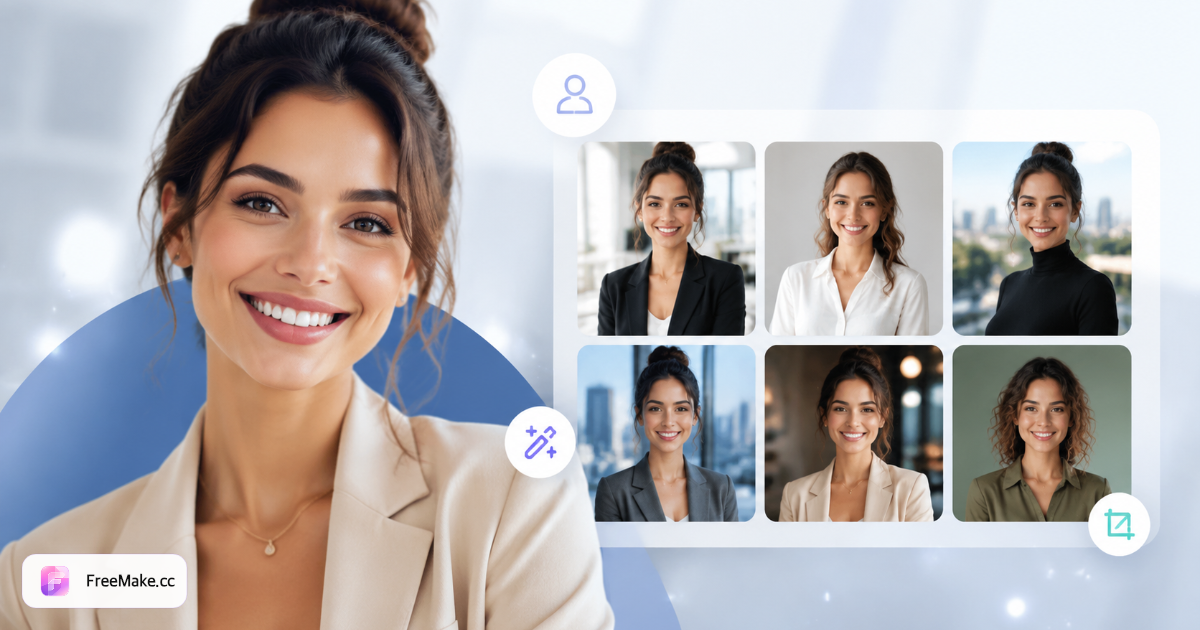
Настройка фото для LinkedIn
Выберите фон, одежду и выражение для правдоподобных фото профиля.
Как создать фото для LinkedIn
Загрузите одно фронтальное фото, выберите фон, наряд и выражение для фото, готовых для LinkedIn.
Подготовить референсный портрет
Равномерное освещение, без солнцезащитных очков, плечи видны.
Выбрать профессиональный фон
Нейтральный однотонный, мягкий офис или уличное размытие — распространённые стили LinkedIn.
Задать выражение и кадрирование
Дружелюбная улыбка, уверенность или доступный профессионализм — опциональное квадратное кадрирование.
Загрузить в LinkedIn
Замените фото профиля или featured-изображения после скачивания.
Почему важны фото для LinkedIn
Рекрутеры и потенциальные клиенты оценивают профессионализм за секунды по вашему фото.
Больше принятия запросов на связь
Чёткие, вызывающие доверие фото работают лучше стандартных аватаров для ответов.
Согласовать с личным брендом
Подберите фон и одежду под вашу отрасль — tech, creative или finance.
Обновить устаревшие фото
Обновить после смены роли без переноса съёмки с фотографом.
FreeMake.cc vs приложения для аватаров
Сравните приложения для аватаров в один клик с локальной обработкой селфи.
| Фактор | FreeMake.cc | Приложения для аватаров | Селфи + фильтр |
|---|---|---|---|
| Квадратное кадрирование | Пресеты | Некоторые | Вручную |
| Профессиональные фоны | Несколько | Шаблонное | Низкий |
| Реализм | На основе референса | Риск чрезмерного ИИ | Высокий |
| Несколько вариантов | Да | Ограничено | Нет |
| Стоимость | За набор | Подписка | Бесплатно |
Спецификации LinkedIn
Фото профиля: 400×400 px или больше; баннеры — landscape HD.
- Избегайте сильного сглаживания, которое выглядит неестественно
- Более дружелюбно, чем строгие фото на документы
- Синхронизировать с корпоративной страницей команды после обновления
- Размыть других на групповых фото перед загрузкой
FAQ: фото для LinkedIn с ИИ
- Квадратный формат LinkedIn?
- Включает пресеты квадрата LinkedIn и кадрирования «голова и плечи».
- Нужна формальная одежда?
- Загрузите повседневные портреты и выберите блейзер, business casual или рубашку.
- То же, что фото на документы?
- Нет — фото LinkedIn подчёркивают доступный профессионализм, а не соответствие документам.
- Какие фоны доступны?
- Нейтральные однотонные, мягкий офис, уличное размытие, градиенты и книжные полки.
- Сколько за один запуск?
- Каждый запуск даёт несколько вариантов выражения и кадрирования.
- Оплата?
- Используются те же кредиты аккаунта, что на главной; каждый запуск расходует платные или бонусные кредиты — ежедневные бесплатные не принимаются.
- Сначала размыть чувствительные области?
- Получите согласие для групповых фото или сначала размойте лица нашим инструментом.
- Заметят ли рекрутеры ИИ?
- Выбирайте естественные выражения и чистый фон — избегайте чрезмерной стилизации.
Другие бесплатные инструменты
Другие утилиты FreeMake.cc в браузере — быстрые ссылки.