
Pour UGC, avis et photos d'entrepôt avec des personnes
Flou de Confidentialité – Outil Gratuit
Auteur : Équipe imaging FreeMake.ccDernière mise à jour :
Partage de UGC ? Flou ajustable, lot de 10 images, entièrement local
- Réduisez l'identifiabilité avant de publier des photos d'acheteurs ou des photos d'équipe.
- Ajustez la force du flou avec un curseur ; prévisualisez chaque résultat à droite.
- Traitez jusqu'à 10 images - les fichiers restent sur votre appareil.
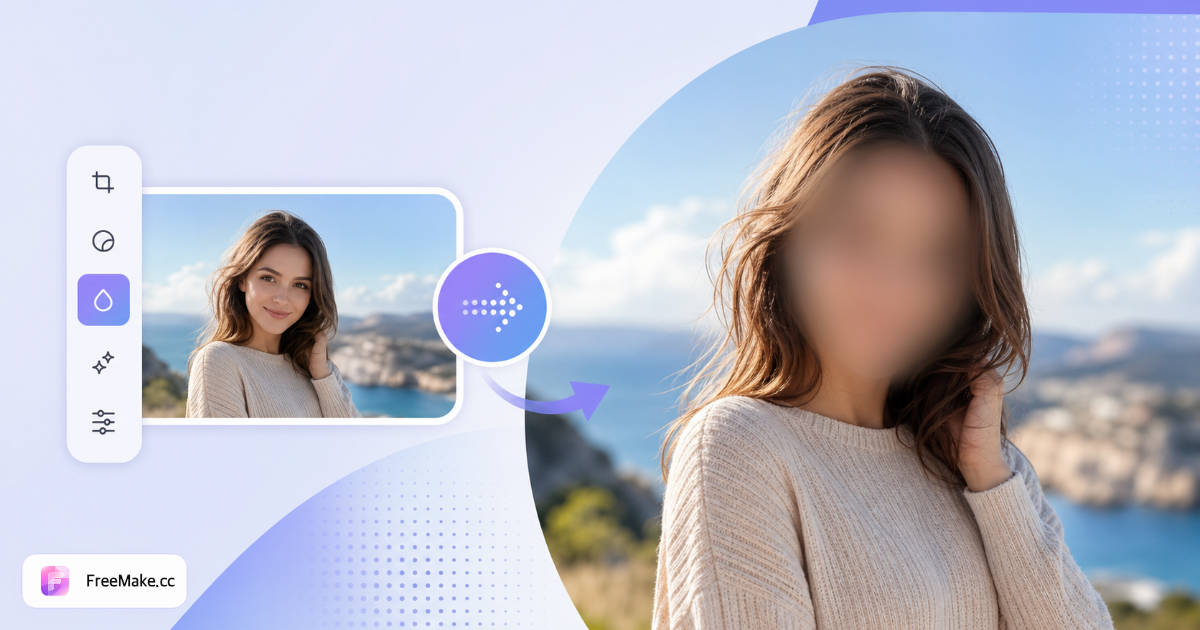
Comment flouter les visages et les zones sensibles dans les photos
Les photos d'équipe, les visites d'entrepôt et les photos d'événements pour les réseaux sociaux nécessitent de la confidentialité avant d'être publiées. FreeMake.cc blur-privacy vous permet de flouter les visages, les plaques d'immatriculation et le texte confidentiel localement—traitez jusqu'à dix images sans téléchargement.
Téléchargez des photos avec du contenu sensible
Photos BTS marketing, captures de livestream unboxing, ou emballages avec des étiquettes SKU non publiées. Identifiez les régions que les acheteurs ou les concurrents ne devraient pas voir clairement.
Appliquer un flou aux visages ou à des régions personnalisées
Dessinez ou sélectionnez des zones à flouter avec un flou gaussien. Visages pour des publications conformes au RGPD ; plaques et numéros de série pour la sécurité opérationnelle.
Aperçu avant exportation par lot
Assurez-vous que les zones héroïques du produit restent nettes tandis que les personnes en arrière-plan sont floues. Un flou excessif peut rendre les publications peu fiables - ciblez les régions minimales nécessaires.
Supprimer les EXIF et publier
Téléchargez le JPG/PNG flou, puis supprimez les métadonnées GPS avant le partage externe. Combinez avec un filigrane pour les présentations en gros.
Pourquoi flouter avant de partager sur les réseaux sociaux et avec des partenaires
Un badge d'employé visible ou une plaque d'immatriculation peut divulguer des informations logistiques. Les outils de flou locaux corrigent les problèmes en quelques minutes sans envoyer de photos RH aux éditeurs cloud.
Lacunes liées au RGPD et aux autorisations de modèle
Les photos d'événements sans autorisations signées nécessitent un flou de visage avant Instagram—réduit l'exposition légale pour les marques en croissance.
Masquer les étiquettes SKU non publiées
Les visites de la ligne de production capturent les cartons de la prochaine saison. Floutez le texte propriétaire tout en montrant l'échelle de production aux investisseurs.
Traitement de la confidentialité sur l'appareil
Les images de ressources humaines et d'entrepôt ne sont jamais téléchargées sur des API de flou de visage tierces—important pour les politiques de conformité internes.
FreeMake.cc contre Fotor, Photopea et BeFunky
Les éditeurs en ligne proposent des pinceaux de flou avec des comptes cloud. FreeMake.cc offre un flou par lot local intégré avec suppression des EXIF pour les opérations de marketing des vendeurs.
| Feature | FreeMake.cc | Fotor | Photopea |
|---|---|---|---|
| Flou du navigateur local | Yes | Cloud | Éditeur local |
| Traiter 10 images | Yes | Paid | Manual |
| Flou de région personnalisé | Yes | Yes | Yes |
| Strip EXIF lié | Yes | Separate | Manual |
| Gratuit sans inscription | Yes | Limits | Yes |
Cas d'utilisation et formats de l'outil de flou
Fonctionne sur des photos marketing JPG et PNG. Le flou est une modification raster destructive - archivez les masters non floutés en interne avant de publier des versions assainies.
Floutez le contenu sensible visible ET supprimez les données EXIF GPS lors du partage d'images d'entrepôts sensibles à la localisation. Les héros de produits du marché ne doivent pas contenir de visages flous—réalisez des héros en studio propres séparément.
- Visages — publications sociales sans autorisations de modèle
- Plaques d'immatriculation — photos de flotte et de quai de chargement
- Numéros de série — aperçus du matériel prototype
- Chaîne de suppression EXIF — retirer GPS après exportation floue
FAQ sur le flou de confidentialité
La question la plus fréquente que nous recevons : détection de visage. Cette page explique exactement ce que fait l'outil.
- Détecte-t-il et floute-t-il uniquement les visages ?
Non. Cela applique un flou uniforme à l'image entière—pas de détection de visage ou de plaque d'immatriculation. Bon pour un masquage rapide de l'image entière, pas pour un masquage précis de région.
Pour le masquage spécifique au visage/à la plaque, utilisez une application ou un éditeur de redaction AI. Cet outil est destiné à un flou d'image complet rapide, local et par lot.
- Quand le flou d'image entière est-il utile ?
Lorsque plusieurs zones nécessitent une identifiabilité réduite ou que vous avez besoin d'un passage rapide avant de publier.
- UGC / photos des acheteurs avant de les republier
- Photos d'équipe où tout devrait être adouci
- Captures d'écran ou photos de documents partagées à l'extérieur
- Comment devrais-je régler la force ?
Utilisez 40 à 70 % pour une redaction légère. Pour les visages visibles, 80 % ou plus aide, mais cela ne remplace pas un masquage ciblé.
- Télécharger ou un compte requis ?
Aucun téléchargement, aucune inscription. Jusqu'à 10 images, toutes traitées localement.
- En quoi cela diffère-t-il de la suppression d'arrière-plan ?
Le flou ne fait que réduire les détails - il ne supprime pas les arrière-plans ni ne redimensionne les fichiers.
- Conformité GDPR ou photo d'équipe ?
Flouter les visages aide lors de la publication de photos internes ou de photos marketing sans autorisations de modèle.
- Flouter les plaques d'immatriculation ou le texte ?
Utilisez le même outil pour obscurcir les régions sensibles—aperçu avant exportation.
- Supprimer également les métadonnées de localisation ?
Supprimez également les données GPS EXIF avant de partager.
Plus d'outils gratuits
Autres utilitaires navigateur sur FreeMake.cc — liens rapides.