
برای Taobao، Amazon، TEMU و فروشندگان فرامرزی
تولیدکننده تصویر محصول هوش مصنوعی - ابزار تجارت الکترونیک رایگان
نویسنده: تیم تصویر FreeMake.ccآخرین بهروزرسانی:
یک آپلود، چندین خروجی حرفهای - ساخته شده برای تجارت الکترونیک چینی و فروشندگان فرامرزی.
- یک عکس SKU بیندازید - عکس تخت، عکس بستهبندی شده یا عکس استودیویی ساده بهترین نتیجه را میدهد.
- از پیش تعیینشدههای پسزمینه سفید، سبک زندگی، مینیمالیستی، تبلیغاتی یا جلد بازار را انتخاب کنید.
- نسبتهای تصویر اصلی Taobao، تصویر اصلی Amazon، تصویر جلد TEMU و تبلیغات شبکههای اجتماعی را در یک دسته انتخاب کنید.
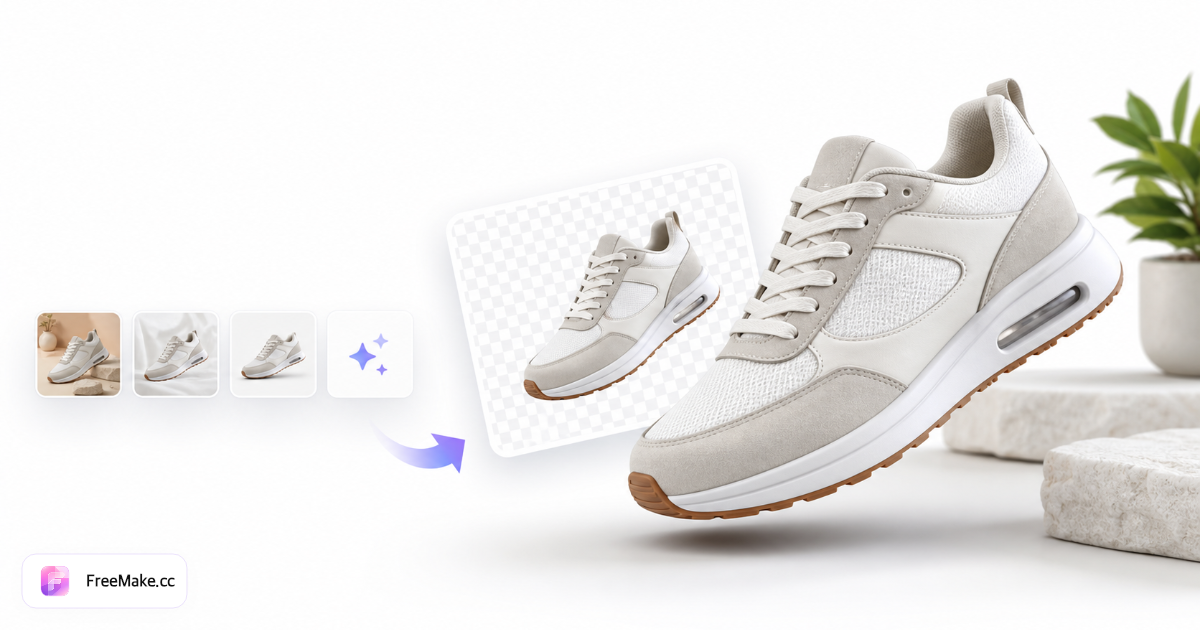
نحوه تولید تصاویر محصولات تجارت الکترونیک با هوش مصنوعی
یک عکس SKU آپلود کنید و به صورت دستهای، قهرمانهای پسزمینه سفید، صحنههای سبک زندگی، طرحبندیهای مینیمالیستی و جلدهای تبلیغاتی برای Taobao، TEMU و Amazon را از روی یک عکس محصول واحد تولید کنید.
عکس واضح از محصول آپلود کنید
از یک عکس تخت، بستهبندیشده یا عکس استودیویی ساده روی پسزمینه خنثی استفاده کنید. JPG، PNG یا WebP تا 10 مگابایت. برچسبهای واضح به هوش مصنوعی کمک میکنند تا رنگهای برند را حفظ کند.
سبکها و نسبتهای بازار را انتخاب کنید
پیشتنظیمات پسزمینه سفید، سبک زندگی، مینیمالیستی یا تبلیغاتی را انتخاب کنید. تصویر اصلی Taobao، قهرمان آمازون، جلد TEMU و نسبت ابعاد تبلیغات اجتماعی را در یک دسته انتخاب کنید.
بیش از 20 نوع مختلف ایجاد کنید
هر سبک یک اعتبار هوش مصنوعی دارد. قبل از ایجاد، پیشنمایش تصاویر کوچک را ببینید، سپس بهصورت جداگانه دانلود کنید یا مجموعه کامل را بهصورت ZIP صادر کنید.
قبل از آپلود، انطباق را اجرا کنید
با استفاده از بررسیکنندهی انطباق، قهرمانهای پسزمینهی سفید و اندازهی فایل را بررسی کنید. اگر حجم خروجیها از محدودیتهای مگابایت بازار بیشتر شد، آنها را فشرده کنید.
چرا ابزارهای تولید تصویر محصول مبتنی بر هوش مصنوعی، از تصویربرداریهای دستی بهتر عمل میکنند؟
فروشندگان بازار به دهها زاویه و سبک برای هر SKU نیاز دارند. تولید دستهای هوش مصنوعی، شکافهای گالری را زمانی که فقط یک تامینکننده JPEG دارید و بودجه استودیویی ندارید، پر میکند.
سریعتر در Taobao و TEMU راهاندازی کنید
به جای رزرو جلسات عکاسی جداگانه برای هر سبک، قهرمانان با پسزمینه سفید، صحنههای سبک زندگی و جلدهای تبلیغاتی را در یک جلسه تولید کنید.
جهتگیری هنری منسجم در میان SKUها
تنظیمات از پیش تعیینشده، واژگان نورپردازی و ترکیببندی را هنگام تولید دستهای کل مجموعه قبل از رویدادهای فروش، مشابه نگه میدارند.
ارزانتر از عکاسی محصول آژانس
یک آپلود بیش از ۲۰ نوع محصول آماده برای بازار تولید میکند - ایدهآل برای فروشندگان مستقیم و فروشندگان فرامرزی که در حال آزمایش لیستهای جدید هستند.
FreeMake.cc در مقایسه با Pebblely، Flair.ai و Mokker
ابزارهای اختصاصی عکاسی محصول با هوش مصنوعی، هزینه اشتراک دارند. FreeMake.cc تولید چند سبکی را با لینکهای گردش کار فروشندگان آمازون در همان سایت ارائه میدهد.
| Feature | FreeMake.cc | Pebblely | Flair.ai |
|---|---|---|---|
| بیش از ۲۰ استایل از یک آپلود | Yes | بسته به طرح متفاوت است | Varies |
| از پیش تنظیم Taobao / TEMU / آمازون | Yes | تجارت الکترونیک عمومی | تجارت الکترونیک عمومی |
| زنجیره ابزار یکپارچه فروشنده | فشردهسازی، انطباق، تغییر اندازه | فقط & صادرات | فقط & صادرات |
| سبک قهرمان با پسزمینه سفید | پیشتنظیم داخلی | Yes | Yes |
| ابزار همراه صفحه جزئیات | ژنراتور شش شات | محصول جداگانه | محصول جداگانه |
فرمتهای خروجی و تضمین کیفیت فهرستبندی
خروجیها JPG/PNG هستند که برای گالریهای Taobao، جلدهای TEMU و تصاویر ثانویه آمازون مناسب هستند. تصاویر با پسزمینه سفید باید قبل از انتشار، بررسی انطباق را پشت سر بگذارند - هوش مصنوعی ممکن است متن برچسب را تغییر دهد.
هر سبک یک اعتبار هوش مصنوعی مصرف میکند. اگر به محدودیتهای حجم فایل برخوردید، عکسهای بزرگ گوشی را قبل از آپلود فشرده کنید. برای بخشهای سبک زندگی از مولد صحنه و برای زوایای داستانسرایی از مولد جزئیات استفاده کنید.
- پسزمینه سفید - تصویر اصلی از پیش تعیینشده Amazon/TEMU
- سبک زندگی و تبلیغات — گالری ثانویه و تبلیغات
- خروجی ZIP - دانلود کل دسته پس از تولید
- تضمین کیفیت انسانی - ادعاها و متن بستهبندی را قبل از انتشار، تأیید کنید
راهنماها و هابهای موضوعی
راهنماهای عمیق و مجموعه ابزارهای مرتبط با این گردش کار.
سوالات متداول در مورد مولد تصویر محصول
سوالات متداول در مورد تولید تصویر تجارت الکترونیک هوش مصنوعی در FreeMake.cc.
- چه فرمتهای تصویری را میتوانم آپلود کنم؟
JPG، PNG و WebP تا سقف ۱۰ مگابایت. یک محصول واضح روی یک پسزمینه ساده بهترین نتیجه را میدهد.
- آیا تصاویر با پسزمینه سفید با قوانین بازار مطابقت دارند؟
بله - تنظیمات پیشفرض از دستورالعملهای رایج پسزمینه سفید آمازون و TEMU پیروی میکنند. همیشه قبل از انتشار، قوانین پلتفرم را مرور کنید.
- چند تصویر را میتوانم از یک آپلود ایجاد کنم؟
معمولاً بیش از ۲۰ نوع مختلف از سبکها و نسبتهای ابعاد در یک دسته.
- آیا میتوانم از تصاویر تولید شده به صورت تجاری استفاده کنم؟
بله، برای فهرستهای تجارت الکترونیک، تبلیغات و ویترین فروشگاهها. شرایط ارائهدهنده مدل و مقررات محلی را بررسی کنید.
- آیا به مهارتهای طراحی نیاز دارم؟
خیر. تنظیمات از پیش تعیینشده را انتخاب کنید، محصول خود را آپلود کنید و دانلود کنید - نیازی به فتوشاپ نیست.
- هر دسته چقدر از سهمیه هوش مصنوعی استفاده میکند؟
هر سبک هزینه یک اعتبار نسل را دارد. سبکهای کمتری انتخاب کنید یا اعتبار روزانه باقیمانده را در میز کار بررسی کنید.
- برای تصویر اصلی آمازون به پسزمینه سفید نیاز دارید؟
از پیش تعیینشده، سبک پسزمینه سفید را انتخاب کنید، سپس قبل از آپلود، بررسی انطباق را انجام دهید.
- به عکسهای صفحه جزئیات بیشتری نیاز دارید؟
از مولد جزئیات محصول برای شش زاویه فهرستبندی شده توسط هوش مصنوعی از یک عکس استفاده کنید.
- قبل از آپلود فشرده سازی کنیم؟
JPG با کیفیت بالا خوب است؛ اگر فایل شما از محدودیت آپلود بیشتر است، آن را فشرده کنید.
ابزارهای رایگان بیشتر
سایر ابزارهای مرورگر FreeMake.cc — لینک سریع.