
برای تیزر اجتماعی و انیمیشن ساده محصول
سازنده GIF — ساخت GIF از تصاویر آنلاین، رایگان و بدون ثبتنام
نویسنده: تیم تصویر FreeMake.ccآخرین بهروزرسانی:
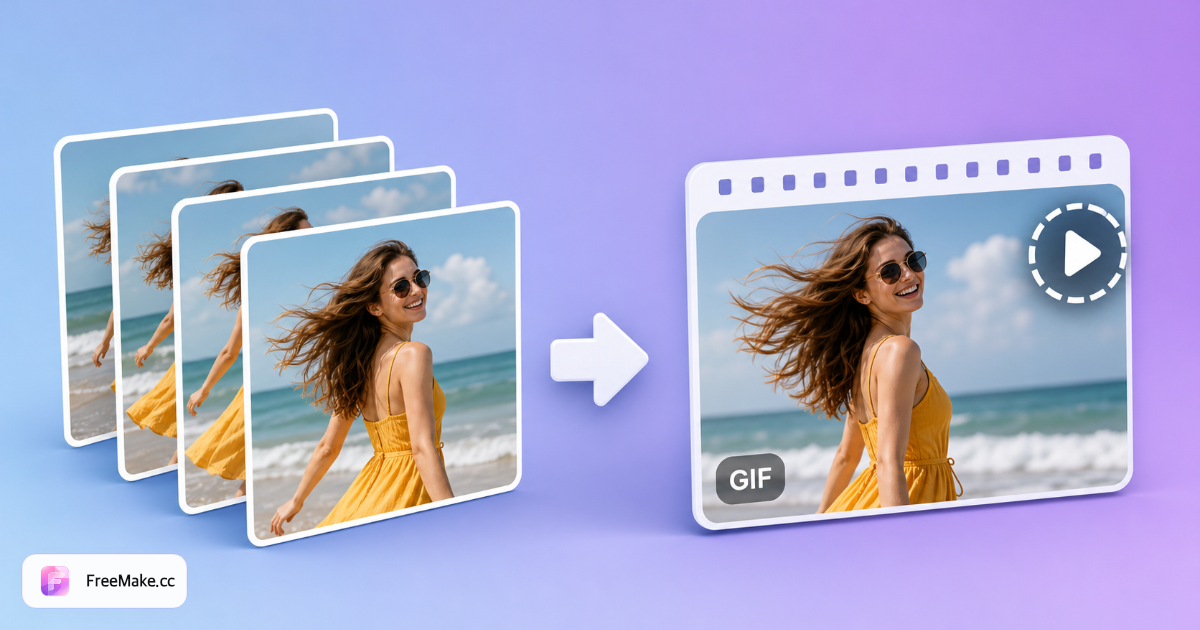
دنبالهای از عکسها را به GIF تبدیل کنید
- تأخیر بین فریمها را تنظیم کنید
- عالی برای استاپموشن ساده
- رمزگذاری محلی — فریمها آپلود نمیشوند
منابع: فرمت GIF (MDN)
چگونه به صورت آنلاین یک GIF از تصاویر ایجاد کنیم
حلقههای کوتاه انیمیشنی زوایای محصول، مراحل باز کردن بسته و جلوههای تبلیغاتی را در شبکههای اجتماعی به نمایش میگذارند—بدون نیاز به نرمافزار ویرایش ویدیو. سازنده GIF FreeMake.cc چندین تصویر را به صورت محلی به یک GIF متصل میکند و امکان تنظیم ترتیب فریمها و زمانبندی را فراهم میآورد.
تصاویر متوالی را بارگذاری کنید
چرخشهای محصول انفجاری، فریمهای دستورالعمل مرحله به مرحله، یا اسلایدهای تبلیغاتی به سبک میم. از ابعاد یکسان در تمام فریمها برای حلقههای نرمتر استفاده کنید.
تنظیم ترتیب فریم و تأخیر
برای تغییر ترتیب بکشید؛ تأخیرهای کوتاهتر برای تبلیغات حس بهتری دارند، در حالی که تأخیرهای طولانیتر مناسب مراحل آموزشی هستند. فریمهای بیشتر به معنای حرکت نرمتر اما فایلهای بزرگتر است.
پیشنمایش حلقه انیمیشن
فلیکر و خوانایی را در موبایل بررسی کنید—فریمهای متنی به زمان نمایش طولانیتری نیاز دارند. ابتدا مربع را برش دهید اگر میخواهید در کاشیهای فید اینستاگرام پست کنید.
دانلود GIF و بهینهسازی اندازه
تصاویر JPG منبع را فشرده کنید یا تعداد فریمها را کاهش دهید اگر برنامههای چت GIFهای بزرگ را رد کنند. برخی از بازارها اجازه حلقههای کوتاه در محتوای A+ را میدهند—سیاستهای رسانهای را تأیید کنید.
چرا GIF ها برای داستانگویی محصول؟
حرکت اسکرول را بدون تولید ویدیو کامل ضبط میکند. مونتاژ محلی GIF رنگهای غیرمنتشر شده را در طول ممنوعیت از سرویس ویدیو ابری خارج نگه میدارد.
چرخش ۳۶۰ درجه محصول به صورت ارزان
هشت زاویه استودیو به یک قهرمان حلقهای برای ایمیل و شبکههای اجتماعی تبدیل میشود - سریعتر از خدمات چرخش 3D برای SKUهای میانه کاتالوگ.
لوازم جانبی چند مرحلهای را توضیح دهید
مراحل نصب در GIF های متحرک بازگشتها را در SKU های پیچیده کاهش میدهند—با تصاویر ثابت صفحه جزئیات از تولیدکننده جزئیات محصول جفت کنید.
حریم خصوصی محلی برای پیشنمایشها
تیزرهای انیمیشنی از راهاندازیهای محرمانه بهصورت محلی رندر میشوند—بدون بارگذاری به سرورهای Ezgif برای خطوط حساس.
FreeMake.cc در مقابل Ezgif، Canva و GIMP
Ezgif آزمایشگاه کلاسیک GIF وب با قابلیت بارگذاری است. Canva در پروژههای ابری انیمیشن ایجاد میکند. FreeMake.cc مونتاژ فریم محلی را ارائه میدهد که به فشردهسازی برای کنترل اندازه مرتبط است.
| Feature | FreeMake.cc | Ezgif | Canva |
|---|---|---|---|
| ساخت GIF مرورگر محلی | Yes | Upload | Cloud |
| ترتیب و زمانبندی فریمها | Yes | Yes | Timeline |
| توالیهای فریم محصول | جریان کار بهینهسازی شده | General | Templates |
| ابزار فشردهسازی لینک شده | Yes | بهینهسازی پایه | محدودیتهای صادرات |
| رایگان بدون ثبت نام | Yes | Yes | Account |
یادداشتهای اندازه GIF و پلتفرم
خروجی GIF محدود به پالت است و میتواند بزرگ باشد—تعداد فریمها را زیر دوازده نگه دارید تا اندازههای مناسب برای ایمیل داشته باشید. از منابع JPG فشرده با وضوح وب شروع کنید (عرض حداکثر ۱۰۸۰ پیکسل معمولاً کافی است).
آمازون A+ و برخی از تمهای Shopify از انیمیشنهای کوتاه پشتیبانی میکنند؛ اما اسلاتهای اصلی هنوز به JPG ثابت نیاز دارند. از GIFها برای محتواهای اجتماعی، ایمیل و ماژولهای محتوای غنی استفاده کنید - نه قهرمانهای اصلی با پسزمینه سفید.
- GIF — حلقههای اجتماعی، میکرو انیمیشنهای ایمیل
- تاخیر فریم — ۱۰۰–۳۰۰ میلیثانیه معمول برای چرخش محصولات
- برش مربعی — سازگاری با فید اینستاگرام
- فشردهسازی منابع — کاهش اندازه قبل از مونتاژ GIF
راهنماها و هابهای موضوعی
راهنماهای عمیق و مجموعه ابزارهای مرتبط با این گردش کار.
سوالات متداول در مورد ساخت GIF
محدودیتهای GIF که هر خالق با آن مواجه میشود.
- حداقل فریم؟
حداقل ۲ تصویر، حداکثر ۱۰ تصویر.
- سرعت خود را کنترل کنید
تأخیر فریم بر حسب میلیثانیه - هرچه کمتر = سریعتر.
- اندازههای مختلط؟
بوم نقاشی از حداکثر عرض/ارتفاع استفاده میکند؛ قابهای کوچکتر با محوریت رنگ سفید.
- بارگذاری
نه—همه محلی.
- باندینگ یا فایل حجیم؟
GIF دارای ۲۵۶ رنگ است - ممکن است عکسها نوار نوار شوند. ابتدا منابع را تغییر اندازه دهید/فشرده کنید.
برای حرکت با کیفیت بالا، ویدیو MP4/WebP را در نظر بگیرید—GIF برای پیشنمایشهای سبک است.
- چند فریم میتوانم استفاده کنم؟
تصاویر بیشتری را به کارگاه اضافه کنید—فریمهای بیشتر به معنای حرکت نرمتر اما اندازه فایل بزرگتر است.
- حجم GIF برای ایمیل یا چت خیلی بزرگ است؟
ابتدا تعداد فریمها، ابعاد یا تصاویر منبع را کاهش دهید یا فشرده کنید.
- انیمیشن محصول برای لیستها؟
برخی از کانالها اجازه GIF های کوتاه را میدهند؛ قبل از بارگذاری، قوانین رسانه بازار را بررسی کنید.
ابزارهای رایگان بیشتر
سایر ابزارهای مرورگر FreeMake.cc — لینک سریع.