
ابزارهای Live Photo — هاب تبدیل آنلاین رایگان
Live Photoهای آیفون را از خروجی .livp جدا یا دوباره بسازید—GIF و ویدیو را به ZIP Live Photo تبدیل کنید، همه در مرورگر و بهصورت محلی.
- تبدیل جفتهای exportشده .livp یا HEIC+MOV به GIF، MP4 یا ZIP
- ساخت Live Photo از GIF، MP4 یا عکس ثابت
- محدودیتهای شفاف مرورگر—نکات آپلود در هر ابزار
- رایگان
- آنلاین
- پردازش محلی
- بدون واترمارک
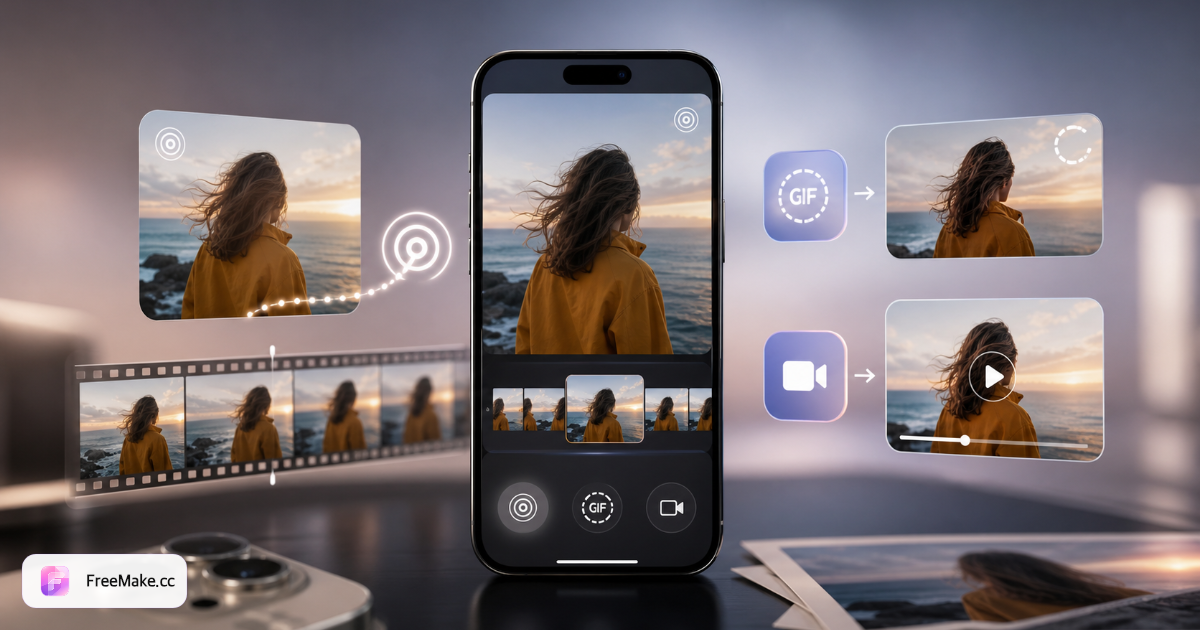
Live Photo به GIF
جفتهای exportشده .livp یا HEIC+MOV را به GIF یا WebP حلقهای تبدیل کنید.
باز کردن ابزارGIF به Live Photo
GIFهای متحرک را به ZIP Live Photo سازگار با آیفون تبدیل کنید.
باز کردن ابزارLive Photo به ویدیو
حرکت MOV را به MP4، MOV یا WEBM برای تدوین استخراج کنید.
باز کردن ابزارویدیو به Live Photo
از MP4/MOV با فریم کاور دلخواه Live Photo بسازید.
باز کردن ابزارتصویر به Live Photo
حرکت Ken Burns به عکس ثابت اضافه و ZIP Live Photo آیفون export کنید.
باز کردن ابزارمهم: محدودیتهای مرورگر و آیفون
- Live Photo → GIF/ویدیو: مرورگر نمیتواند Live Photo بومی را از انتخابگر Photos بخواند—معمولاً فقط تصویر ثابت، نه ترک MOV.
- برای ابزارهای تبدیل: از .livp، جفت HEIC/JPG + MOV، یا MOV از خروجی Photos مک یا اپ Files استفاده کنید.
- GIF/ویدیو/تصویر → Live Photo: آپلود از گالری ممکن است، اما ZIP باید با AirDrop، Photos مک یا اپ شخص ثالث به آیفون import شود.
- برنامههای وب نمیتوانند عکسهای زنده را بهطور مستقیم به رول دوربین iOS بنویسند.
- همه ابزارها FFmpeg را محلی بارگذاری میکنند (~۲۵ مگابایت در اولین بار). آیفونهای قدیمی ممکن است کندتر باشند.
- جزئیات آپلود و import در صفحهٔ هر ابزار آمده است.
مرکز Live Photo چگونه کار میکند
آپلود
فایل .livp، جفت HEIC+MOV، GIF یا MP4 را بکشید و رها کنید.
تبدیل
FFmpeg در مرورگر حرکت را استخراج و فرمت موردنظر را میسازد.
دانلود
GIF، MP4، MOV یا ZIP Live Photo آمادهٔ import به آیفون را ذخیره کنید.
سوالات متداول مرکز Live Photo
- Live Photo چیست؟
- Live Photo جفت تصویر ثابت (HEIC/JPG) و کلیپ ویدیویی کوتاه (MOV) است. آیفون هر دو را با هم میگیرد؛ ابزارهای ما این جفت را جدا یا دوباره میسازند.
- آیا فایلهای من آپلود میشوند؟
- خیر. تبدیل به صورت محلی در مرورگر شما با استفاده از FFmpeg WebAssembly انجام میشود. فایلها هرگز از دستگاه شما خارج نمیشوند.
- چه فرمتهایی پشتیبانی میشوند؟
- ورودی: .livp، جفت HEIC+MOV، MOV، MP4، GIF. خروجی: GIF، WebP متحرک، MP4، MOV، WEBM و ZIP Live Photo.
- آیا Live Photo بعد از تبدیل روی آیفون کار میکند؟
- GIF→Live Photo و ویدیو→Live Photo یک فایل ZIP با JPG+MOV متناسب و شناسههای محتوای اپل صادر میکند. از طریق فایلها یا AirDrop به عکسها وارد کنید.
- آیا میتوانم مستقیماً از Photos آیفون Live Photo آپلود کنم؟
- معمولاً نه برای Live Photo → GIF/ویدیو—Photos فقط فریم ثابت میدهد. ابتدا .livp یا HEIC+MOV export کنید، یا از ابزارهای GIF/ویدیو/تصویر → Live Photo استفاده کنید.
- چگونه ZIP Live Photo را به آیفون برگردانم؟
- فایل ZIP را دانلود کنید، JPG+MOV را از حالت فشرده خارج کنید، سپس با AirDrop به مک ارسال کنید و از طریق برنامه Photos وارد کنید، یا از یک برنامه شخص ثالث Live Photo استفاده کنید. مرورگرها نمیتوانند بهطور مستقیم به رول دوربین ذخیره کنند.
تازه با Live Photo آشنا شدید؟
راهنمای کامل — فرمتها، محدودیت iPhone و انتخاب ابزار مناسب.
عکسها را با ویدیوی AI متحرک کنید
پس از تبدیل Live Photo، عکس محصول یا پرتره را به MP4 تبدیل کنید — در مرورگر، بدون ورود.