
عکسهای LinkedIn هوش مصنوعی
Generate LinkedIn-ready professional headshots in minutes
بارگذاری عکس و تولید
از عکس واضح روبرو با نور یکنواخت و بدون عینک آفتابی استفاده کنید.
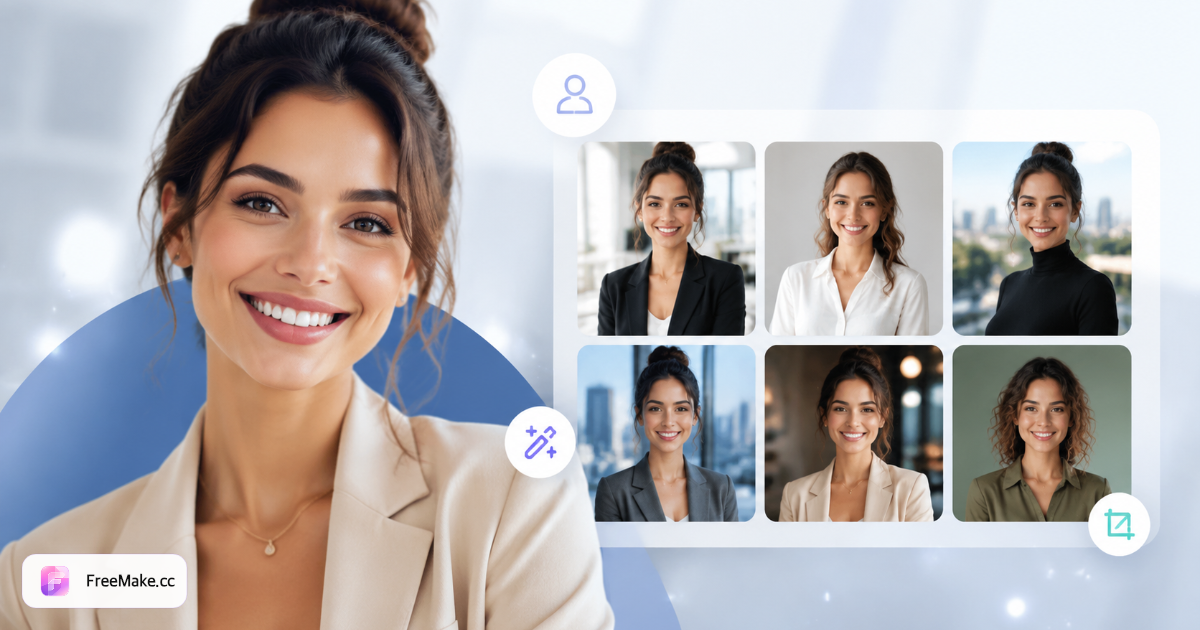
پیکربندی عکس LinkedIn
پسزمینه، لباس و حالت چهره را برای عکسهای پروفایل معتبر انتخاب کنید.
چگونه عکس LinkedIn بسازیم
یک عکس روبرو بارگذاری کنید، پسزمینه، لباس و حالت چهره را برای عکس آماده LinkedIn انتخاب کنید.
پرتره مرجع خود را آماده کنید
نور یکنواخت، بدون عینک آفتابی، شانهها قابل مشاهده.
پسزمینه حرفهای انتخاب کنید
رنگ یکدست خنثی، دفتر نرم یا محو فضای باز—سبکهای رایج LinkedIn.
حالت چهره و قاببندی را تنظیم کنید
لبخند دوستانه، مطمئن یا حرفهای صمیمی—برش مربعی اختیاری.
در LinkedIn بارگذاری کنید
پس از دانلود عکس پروفایل یا تصاویر برجسته را جایگزین کنید.
چرا عکسهای LinkedIn مهماند
Recruiterها و مشتریان بالقوه در چند ثانیه از عکس شما حرفهای بودن را قضاوت میکنند.
پذیرش اتصال بالاتر
عکسهای واضح و قابل اعتماد بهتر از آواتار پیشفرض برای پاسخ عمل میکنند.
هماهنگ با برند شخصی
پسزمینه و لباس را با صنعت خود—فناوری، خلاق یا مالی—هماهنگ کنید.
عکسهای قدیمی را بهروز کنید
پس از تغییر نقش بدون رزرو مجدد عکاس بهروز کنید.
FreeMake.cc در مقابل اپهای headshot
اپهای یککلیکی headshot را با ویرایش محلی سلفی مقایسه کنید.
| عامل | FreeMake.cc | اپهای headshot | سلفی + فیلتر |
|---|---|---|---|
| برش مربعی | پیشتنظیمها | برخی | دستی |
| پسزمینههای حرفهای | چند | الگوبندی | پایین |
| واقعگرایی | مبتنی بر مرجع | ریسک بیشازحد AI | بالا |
| چند نوع | بله | محدود | خیر |
| هزینه | به ازای مجموعه | اشتراک | رایگان |
مشخصات LinkedIn
عکس پروفایل: 400×400 پیکسل یا بزرگتر؛ تصاویر بنر HD افقی.
- از محو شدید که مصنوعی به نظر میرسد خودداری کنید
- صمیمیتر از عکسهای پرسنلی سختگیرانه
- پس از بهروزرسانی با صفحه تیم شرکت همگام کنید
- دیگران را در عکس گروهی قبل از بارگذاری محو کنید
سوالات متداول عکسهای LinkedIn هوش مصنوعی
- خروجی مربع LinkedIn؟
- شامل پیشتنظیمهای مربع LinkedIn و قاببندی سر و شانه است.
- لباس رسمی لازم است؟
- پرترههای روزمره بارگذاری کنید و بلیزر، رسمی-غیررسمی یا پیراهن را انتخاب کنید.
- مثل عکس پرسنلی است؟
- خیر—عکس LinkedIn بر حرفهای بودن صمیمی تأکید دارد، نه انطباق پرسنلی.
- گزینههای پسزمینه؟
- رنگهای یکدست خنثی، دفتر نرم، محو فضای باز، گرادیان و پسزمینه قفسه کتاب.
- هر بار چند تا؟
- هر بار چند تغییر حالت چهره و قاببندی ارائه میشود.
- قیمتگذاری؟
- اعتبار حساب با صفحه اصلی مشترک است؛ هر بار اعتبار پولی یا پاداش مصرف میشود—اعتبار رایگان روزانه پذیرفته نمیشود.
- ابتدا نواحی حساس را محو کنم؟
- برای عکس گروهی رضایت بگیرید یا ابتدا با ابزار محو حریم خصوصی چهرهها را محو کنید.
- آیا Recruiter متوجه هوش مصنوعی میشود؟
- حالت چهره طبیعی و پسزمینه تمیز انتخاب کنید—از ظاهر بیشازحد stylized خودداری کنید.
ابزارهای رایگان بیشتر
سایر ابزارهای مرورگر FreeMake.cc — لینک سریع.