
برای کاربرانی که برای گردشهای کاری Adobe Illustrator به فایل .ai نیاز دارند
تبدیل PNG/JPG به AI - رایگان
نویسنده: تیم تصویر FreeMake.ccآخرین بهروزرسانی:
فایل EPS سازگار با ایلاستریتور ۸ که با فرمت .ai ذخیره شده است
- ردیابی بیتمپها به مسیرهای برداری
- دسته بندی تا 10 تصویر
- پردازش ۱۰۰٪ محلی
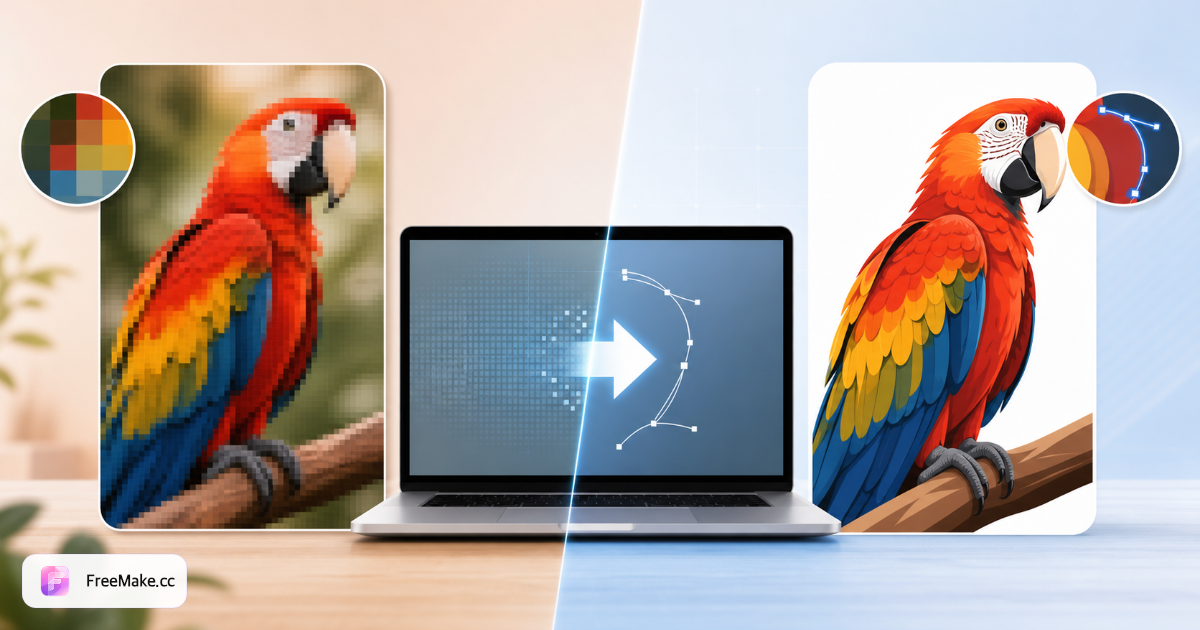
نحوه تبدیل فرمت بیتمپ به فرمت ادوبی ایلاستریتور (AI)
تیمهای طراحی و شرکای چاپ اغلب برای ویرایش مسیرها، رنگهای نقطهای و خطوط بستهبندی به فایلهای .ai نیاز دارند. FreeMake.cc بیتمپ به هوش مصنوعی، لوگوها را در خروجی سازگار با Illustrator در مرورگر شما ردیابی میکند - مسیرها را قبل از تحویل به آژانسها پیشنمایش کنید.
لوگوی واضح را با فرمت PNG یا JPG آپلود کنید
از داراییهای تأیید شده برند شروع کنید - نه عکسهای محصول. پر کردنهای یکدست و پالتهای رنگی محدود، به بردارهای قابل ویرایشی منجر میشوند که طراحان میتوانند سریعتر از ترسیم مجدد، آنها را اصلاح کنند.
تولید فایل برداری سازگار با هوش مصنوعی
کیفیت ردیابی روی نمادهای تجاری و خطوط ظریف را بررسی کنید. گرادیانهای پیچیده ممکن است مسطح شوند - طراحان باید انتظار لایههای تمیز در Illustrator را داشته باشند.
باز کردن در ادوبی ایلاستریتور
نرمافزار Illustrator یا برنامههای سازگار با آن، مسیرها را ویرایش میکنند، رنگهای PMS را تنظیم میکنند و فایلهای PDF را برای چاپ آماده میکنند. FreeMake.cc جدول زمانی فروشندگان را به سرعت صادر میکند؛ اما جایگزین ساختهای برداری حرفهای برای تغییر نامهای تجاری بزرگ نمیشود.
مسترهای رستر را برای لیستها نگه دارید
آمازون و Shopify هنوز به فایلهای JPG نیاز دارند—فایلهای AI برای طراحی هستند، نه برای آپلود در بازار. اگر شرکا فرمتهای برداری متفاوتی درخواست کردند، از ابزارهای SVG یا EPS استفاده کنید.
چرا فایلهای .ai هنوز هم در عملیات برندسازی قدرتمند هستند؟
تجارت الکترونیک با JPG اجرا میشود؛ سیستمهای برندسازی با Illustrator اجرا میشوند. تبدیل Bitmap به AI این شکاف را پر میکند، زمانی که فقط یک PNG از یک فایل زیپ قدیمیِ تأمینکننده دارید.
تحویل به آژانس بدون تغییر قیمتها
طراحان آزاد برای بازسازی لوگوها از فایلهای JPG تار، هزینه دریافت میکنند - برای کاهش زمان جلسه توجیهی در پروژههای نوسازی بستهبندی، ابتدا ردیابی را انجام دهید.
گردشهای کاری رنگ نقطهای و خطوط تولید
فایلهای AI ایلاستریتور با قالبهای برش خورده و نمونههای PMS ادغام میشوند - EPS/SVG به تنهایی ممکن است فاقد قراردادهای استودیویی مورد انتظار چاپگر شما باشند.
ردیابی محلی برای علائم محرمانه
ادغام و اکتساب (M&A) قبل از به اشتراک گذاشتن هوش مصنوعی قابل ویرایش در خارج از سازمان، فرآیند تغییر نام تجاری داراییها را به صورت محلی انجام میدهد - نشت تصادفی اطلاعات ابری را در طول بررسیهای لازم کاهش میدهد.
FreeMake.cc در مقابل CloudConvert، Convertio و Vector Magic
CloudConvert و Convertio برای صادرات AI/EPS به سرور بارگذاری میشوند. Vector Magic در زمینه ردیابیهای پریمیوم با پرداخت تخصص دارد. FreeMake.cc صادرات .ai از طریق مرورگر را به خواهران SVG/EPS متصل میکند.
| Feature | FreeMake.cc | CloudConvert | جادوی برداری |
|---|---|---|---|
| خروجی بیتمپ به فرمت .ai | بله - مرورگر | آپلود سرور | Desktop/app |
| گردش کار ایلاستریتور | Yes | بردار عمومی | ردپاهای عالی |
| ردیابی متمرکز بر لوگو | Yes | General | General |
| گزینه مرورگر محلی | Yes | No | App |
| تحویل سریع رایگان | Yes | Limited | Paid |
خروجی .ai و الزامات Illustrator
فرمت .ai فرمت اصلی Adobe Illustrator است - مسیرها، لایهها و تایپوگرافیهای Bézier قابل ویرایش، در صورتی که کیفیت ترسیم اجازه دهد. برای باز کردن فایلها به Illustrator یا یک برنامه سازگار نیاز دارید؛ مرورگرها نمیتوانند مستقیماً .ai را ویرایش کنند.
برای نیازهای فقط وب از تبدیل بیتمپ به svg و وقتی فروشندگان چاپ، هوش مصنوعی را رد میکنند از تبدیل بیتمپ به eps استفاده کنید. قبل از ترسیم، لوگوهای کوچک رستر را بزرگ کنید؛ پسزمینه را برای علامتهایی که روی کاغذ رنگی عکسبرداری شدهاند، حذف کنید.
- .ai - ویرایش، بستهبندی و انتقال به آژانس با ایلاستریتور
- ورودی PNG - لوگوی شفاف ترجیح داده میشود
- برای عکسهای محصول مناسب نیست — فهرستها همچنان JPG باقی میمانند.
- ایلاستریتور مورد نیاز است - مسیرهای خروجی را باز و اصلاح کنید
سوالات متداول در مورد تبدیل بیت مپ به هوش مصنوعی
یادداشتهای سازگاری با هوش مصنوعی
- این چه نوع فایل هوش مصنوعی است؟
ما یک فایل .ai مبتنی بر EPS سازگار با Illustrator 8 صادر میکنیم که Adobe Illustrator میتواند آن را باز کند. این یک سند AI مبتنی بر PDF مدرن و بومی نیست.
- آیا میتوانم لایهها را ویرایش کنم؟
خروجی، مسیرهای پر شده مسطح است. برای کار لایهای، پس از باز کردن، فایل را در داخل Illustrator اصلاح کنید.
- کورل دراو (سی دی آر)؟
هیچ برنامهی متنباز و قابل اعتمادی برای نوشتن فایلهای .cdr در مرورگر وجود ندارد. فرمتهای EPS یا SVG را امتحان کنید و آنها را به CorelDRAW وارد کنید.
- خروجی .ai برای چه مواردی استفاده میشود؟
برای ویرایش بیشتر - مسیرها، رنگها و آمادهسازی چاپ - در Adobe Illustrator باز میشود.
- جایگزینهای SVG یا EPS؟
SVG برای وب؛ EPS برای چاپخانهها. فرمتی را که تیم شما استفاده میکند انتخاب کنید.
- عکسهای پیچیده؟
به لوگوها و آثار هنری تخت پایبند باشید—عکسها باید در قالب رستر باقی بمانند.
- کیفیت ردیابی را بهبود دهید؟
با یک PNG با وضوح بالا و کنتراست مناسب شروع کنید؛ در صورت نیاز، لوگوهای کوچک را ارتقا دهید.
- آیا نیاز به نصب ایلاستریتور دارید؟
برای باز کردن و ویرایش فایل .ai خروجی گرفته شده، به Illustrator (یا برنامه سازگار با آن) نیاز دارید.
ابزارهای رایگان بیشتر
سایر ابزارهای مرورگر FreeMake.cc — لینک سریع.