
Für Listing-Teams, Bulk-Verkäufer & Kampagnen-Ops weltweit
Bild online kostenlos skalieren
Autor: FreeMake.cc Imaging-TeamZuletzt aktualisiert:
Stapelweise auf Marktplatz-Pixels skalieren — Amazon-, Shopify- und Etsy-Voreinstellungen inklusive
- Amazon, Shopify, Etsy haben jeweils Größenregeln — Voreinstellung antippen, Dokumentation überspringen
- Seitenverhältnis sperren, damit Produkte nie verzerrt wirken
- 10 Bilder als ZIP exportieren — für Multi-SKU-Listing-Workflows gebaut
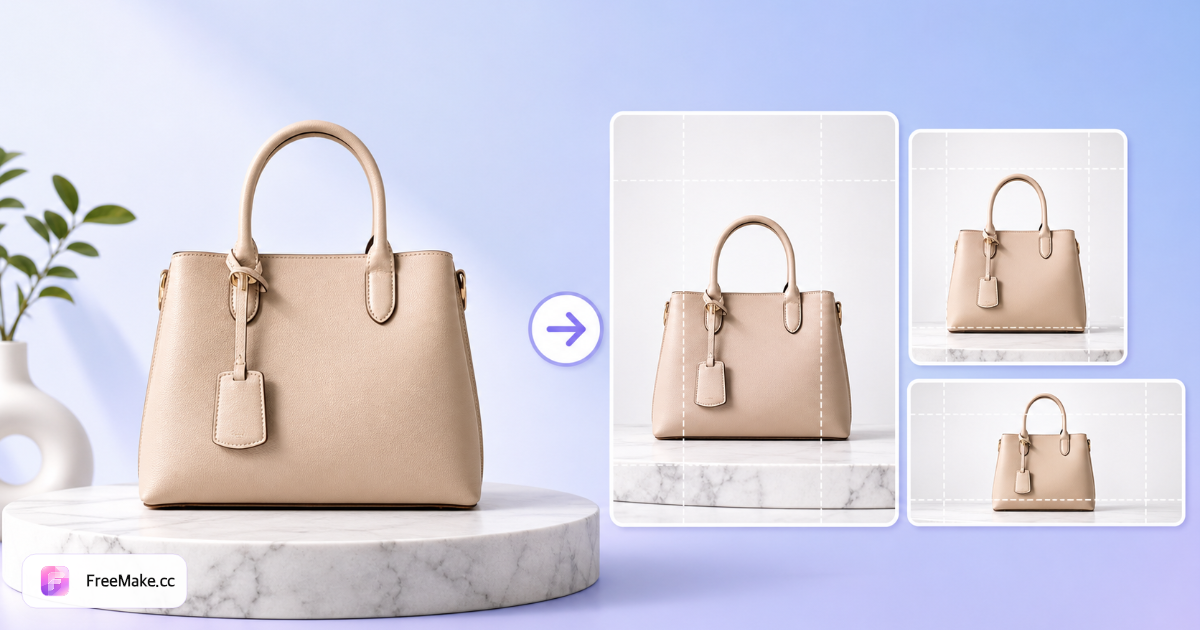
Referenzen: Amazon Bildanforderungen · Shopify Produktmedien
Marktplatz-Größenpresets mit einem Klick
Amazon-, Shopify-, Etsy-, eBay- und TikTok-Shop-Presets — listing-fertige Größen lokal exportieren.
Bilder für Amazon & E-Commerce skalieren
Exakte Pixeldimensionen sind entscheidend — Amazon erwartet oft 2000×2000 px Hero-Bilder, während Thumbnails viel kleiner gerendert werden. FreeMake.cc skaliert bis zu zehn Bilder lokal mit Marktplatz-Voreinstellungen, damit Sie die Spezifikation ohne Photoshop treffen.
Listing- oder Katalogfotos hochladen
PNG- oder JPG-Dateien hinzufügen — Batch bis zehn für Farbvarianten oder Katalog-Updates. Starten Sie mit der höchsten verfügbaren Auflösung, um Upscale-Unschärfe zu vermeiden.
Pixel eingeben oder Marktplatz-Voreinstellung wählen
Amazon, Shopify oder eigene Breite×Höhe wählen. Mindestwerte für die längste Seite (z. B. 1600 px) sind üblich — Dimensionen vor dem Komprimieren setzen, um doppeltes Verkleinern zu vermeiden.
Schärfe nach dem Skalieren prüfen
Verkleinern ist meist scharf; Vergrößern kleiner Handyfotos kann Details weich machen. Bei nötiger Vergrößerung zuerst den Upscaler für grenzwertige Quellen nutzen.
Herunterladen und Compliance prüfen
Dateien exportieren, dann den Compliance-Checker für Seitenverhältnis, Dateigröße und Weißhintergrund-Hinweise nutzen. Zuletzt komprimieren, wenn Dimensionen stimmen, aber MB-Limits scheitern.
Warum pixelgenaue Größen Listings gewinnen
Zu kleine Bilder wirken im Zoom unscharf; zu große Dateien verlangsamen Uploads und scheitern an der Validierung. Skalieren im Browser hält Ihre Pipeline schnell und privat.
Marktplatz-Dimensionsprüfungen bestehen
Seller Central und Shopify markieren Bilder unter Mindestpixeln. Einmal auf Spezifikation skalieren statt in Bulk-Upload-Tabellen zu raten.
Lieferanten-Chaos standardisieren
Großhandels-Pakete kommen in gemischten Größen. Batch-Skalierung auf eine Vorlage, damit jede SKU in Suchrastern einheitlich wirkt.
Lokaler Batch ohne Cloud-Warteschlangen
Zehn Bilder auf Ihrem Gerät — kein Konto, kein Upload-Warten — ideal für Launch-Tag vor einer Promotion.
FreeMake.cc vs. Bulk Resize Photos, Photopea & iLoveIMG
Bulk-Skalierer sind schnell, laden aber oft Dateien hoch. FreeMake.cc kombiniert Marktplatz-Voreinstellungen mit lokaler Verarbeitung und Anbindung an Komprimierungs- und Compliance-Tools.
| Funktion | FreeMake.cc | Bulk-Fotos mit Größenänderung | iLoveIMG |
|---|---|---|---|
| Amazon / Shopify Voreinstellungen | Ja | Generische Größen | Generische Größen |
| Lokales Browser-Skalieren | Ja | Upload nötig | Upload nötig |
| Batch 10 Bilder | Ja | Ja | Free-Tier begrenzt |
| Multi-Size-Export-Integration | Ja — verknüpftes Tool | Separater Schritt | Separater Schritt |
| Kostenlos, ohne Anmeldung | Ja | Ja mit Limits | Werbung im Free-Tier |
Größenrichtlinien für Verkäufer
Amazon-Hauptbilder zielen oft auf 2000×2000 px quadratisch mit ~85 % Produktfüllung — Seller Central für Ihre Kategorie prüfen. Shopify empfiehlt flexible Größen, profitiert aber von einheitlichen Quadraten für Collection-Grids.
Vor dem Komprimieren skalieren: Dimensionsänderung nach starker Komprimierung kann Artefakte verstärken. Für mehrere Kanalgrößen aus einem Master den Multi-Size-Export nach dem Zuschneiden einer sauberen 1:1-Quelle nutzen.
- 2000×2000 px — gängiges Amazon-Hero-Ziel
- 1600 px längste Seite — häufiges Minimum vor Upscale
- JPG-Ausgabe — Standard für Foto-Listings nach dem Skalieren
- PNG — Grafiken und Transparenz beim Heruntersampling erhalten
Guides & Themen-Hubs
Vertiefende Guides und kuratierte Tool-Sammlungen zu diesem Workflow.
FAQ zum Bildskalieren
- Welche Größe sollten Amazon-Produktbilder haben?
Amazon empfiehlt mindestens 1000 px auf der längsten Seite; viele Verkäufer nutzen 2000×2000 px für HD-Zoom. Unsere Amazon-Voreinstellung setzt automatisch 2000×2000.
- Kann ich mehrere Bilder gleichzeitig skalieren?
Ja. Laden Sie bis zu 10 Bilder hoch, setzen Sie Breite und Höhe (oder wählen Sie eine Plattform-Voreinstellung) und laden Sie alle Ergebnisse als ZIP herunter.
- Wird mein Produktfoto beim Skalieren verzerrt?
Aktivieren Sie „Seitenverhältnis sperren“, um das Originalverhältnis zu behalten und Verzerrungen zu vermeiden. Deaktivieren Sie es nur, wenn Sie exakte nicht-proportionale Dimensionen brauchen.
- Werden Bilder beim Skalieren hochgeladen?
Nein. Das Skalieren läuft lokal in Ihrem Browser. Ihre Listing-Fotos verlassen nie Ihr Gerät.
- Welche Größe für Amazon-Hauptbilder?
Viele Verkäufer nutzen 2000×2000 px oder längste Seite ≥1600 px. Prüfen Sie Seller Central für die aktuellen Regeln Ihrer Kategorie.
- Wird mein Produktfoto beim Skalieren unscharf?
Verkleinern ist meist scharf. Vergrößern kleiner Quellen kann weich wirken — probieren Sie den Upscaler für bessere Vergrößerung.
- Kann ich mehrere Größen gleichzeitig exportieren?
Ja — nutzen Sie den Bulk-Multi-Size-Export für gängige Marktplatz-Dimensionen in einem Durchlauf.
- Soll ich vor oder nach der Komprimierung skalieren?
Zuerst auf Zieldimensionen skalieren, dann komprimieren, um Dateigrößen-Limits einzuhalten.
Vom Skalieren bis zum veröffentlichten Listing
Ihr Bild ist skaliert. Vor dem Upload noch erledigen:
- Bild-Compliance
Compliance-Check für neue Abmessungen und Format durchführen.
- Bildkomprimierung
Komprimieren, um Dateigrößenlimits ohne sichtbaren Qualitätsverlust einzuhalten.
- EXIF entfernen
EXIF-Metadaten vor dem Massen-Upload entfernen.
Ergebnis: Listing-Bilder in der richtigen Größe, konform und schnell ladend.
Weitere kostenlose Bildtools
Entdecken Sie weitere browserbasierte Tools auf FreeMake.cc—alle verlinkt für einen schnellen Zugriff.