
Für Designer, Poster-Ersteller & Remix-Workflows
Bild online in Ebenen aufteilen — PNG-Ebenen für Figma
Autor: FreeMake.cc Imaging-TeamZuletzt aktualisiert:
Ein Bild mit KI in 2–8 transparente PNG-Ebenen zerlegen. Export nach Figma, Photoshop oder Canva zum Compositing.
- Poster und Illustrationen automatisch in transparente Ebenen aufteilen — manuelle Freisteller überspringen
- Jede Ebene herunterladen und in Figma oder Photoshop ablegen
- 2–8 Ebenen wählen — mehr Ebenen bedeuten feinere Aufteilung
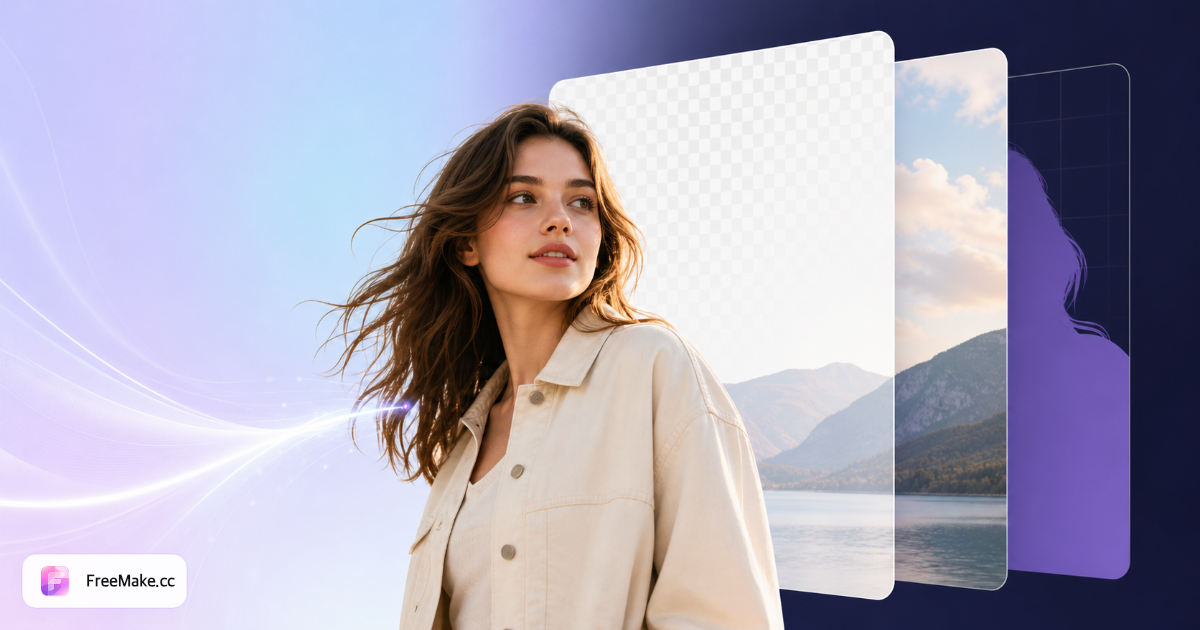
Referenzen: Figma Ebenen importieren Leitfaden
Ein Bild in bearbeitbare Ebenen aufteilen
Lernen Sie, wie Sie ein Bild online mit KI in Ebenen aufteilen. Ein JPG, PNG oder WebP hochladen und in 2–8 transparente PNG-Ebenen für Figma, Photoshop oder Canva zerlegen. Upload nötig, weil Cloud-KI verarbeitet, anders als lokale Komprimier- oder Skalier-Tools.
Klares Motiv-Bild hochladen
Produktshots, Porträts oder einfache Kompositionen mit deutlichen Kanten wählen. Unruhige Hintergründe oder Haar-Detail können Nachbearbeitung nach Split brauchen — Studio-Produktfotos auf neutralen Sets funktionieren am besten.
KI-Ebenen-Trennung ausführen
Das Modell erkennt Vordergrund-Motive und Hintergrund-Regionen und exportiert jede als eigene Ebene. Vorschau vor Download prüfen — komplexes Glas oder feines Fell kann unvollkommen getrennt werden.
Einzelne PNG-Ebenen herunterladen
Jede Ebene kommt als transparentes PNG für Figma-, Canva- oder Photoshop-Compositing. Verkäufer nutzen Splits, um Hintergründe für saisonale Kampagnen zu tauschen ohne Nachshoot.
In Ihrem Design-Workflow compositen
Ebenen stapeln, Hintergründe ersetzen oder Elemente für Thumbnails und A+-Content-Module exportieren. Mit Weißhintergrund- oder Hintergrund-Entferner-Tools kombinieren, wenn Marktplatz-JPG-Regeln gelten.
Warum Layer Split kreativen Verkäufern hilft
Flache Fotos begrenzen, wie schnell Sie Hintergründe, Badges und Layout-Varianten testen können. Aufgeteilte Ebenen beschleunigen Ad-Creatives und Detailseiten-Storytelling ohne vollständiges Nachshoot.
Listings ohne neue Fotografie auffrischen
Saisonale Hintergründe oder Promo-Banner hinter derselben Produktebene tauschen. Schneller als einen weiteren Studio-Tag für jede Kampagne zu planen.
Modulare Ad-Assets bauen
Motiv und Schatten getrennt exportieren für konsistente Marken-Vorlagen über Meta, Google und Amazon DSP Creatives.
Brücke zwischen KI und lokaler Bearbeitung
KI-Split übernimmt Trennung; lokale Tools komprimieren, skalieren und prüfen Compliance vor finalem Upload — Cloud-KI dort einsetzen, wo sie Zeit spart.
FreeMake.cc vs. Photopea, Adobe Express & Remove.bg
Photopea und Express bieten manuelle Ebenen; Remove.bg fokussiert Freisteller, nicht Multi-Layer-Zerlegung. FreeMake.cc Layer Split zielt auf bearbeitbare PNG-Stapel aus einem Upload.
| Funktion | FreeMake.cc | Photopea | Adobe Express |
|---|---|---|---|
| KI Auto Layer Split | Ja | Manuelle Auswahl | Begrenzt automatisch |
| Transparentes PNG exportieren | Pro Ebene | Manueller Export | Pro Projekt |
| E-Commerce-Produktfokus | Ja | Allgemeiner Editor | Vorlagen |
| 100 % lokale Verarbeitung | Nein — KI-Upload | Browser/lokal | Cloud |
| Free-Tier | Bezahlte oder Geschenk-Credits | Kostenloser Editor | Kostenlos mit Limits |
Ausgabeformate und beste Eingaben
Ebenen exportieren als PNG mit Alpha-Transparenz — der Standard für Compositing in Design-Tools. JPG-Quellen werden akzeptiert; Ausgabe bleibt PNG, um Schnittkanten zu erhalten.
Nicht ideal für gescannte Dokumente oder dichtes Laub — Hintergrund entfernen für einfache Einfach-Hintergrund-Freisteller oder manuelles Maskieren in Photopea für Haar-Level-Mattierung.
Weniger Ebenen (2–3) wählen, wenn nur Motiv vs. Hintergrund nötig ist. 5–8 für Poster und Illustrationen mit mehreren visuellen Ebenen — Text, Motiv, Schatten und Backdrop als separate Exporte.
Akzeptierte Eingaben: JPG, PNG, WebP bis 10 MB. Ausgabe ist immer PNG mit Alpha-Transparenz — der Standard für Import in Photoshop, Figma und Motion-Design-Tools.
- PNG-Ebenen — transparenter Hintergrund pro Element
- Produkt auf grau/weiß — höchste Split-Genauigkeit
- Porträts — Person vom Hintergrund für ID-Style-Edits trennen
- Credits — bezahlte oder Anmelde-Geschenk-Credits
- 2–8 Ebenen — feinere Splits für Poster und Illustrationen
- Figma / Photoshop — jede PNG-Ebene auf die Leinwand ziehen
- JPG rein → PNG-Ebenen raus — Schnittkanten erhalten
- E-Commerce — Hintergründe tauschen ohne Produkt nachzufotografieren
Guides & Themen-Hubs
Vertiefende Guides und kuratierte Tool-Sammlungen zu diesem Workflow.
FAQ Layer Split
- Wie funktioniert der Bild-Ebenen-Splitter?
Ein Bild hochladen, 2–8 Ebenen wählen, und FreeMake.cc erzeugt transparente PNG-Ebenen zum einzelnen Download. Die Verarbeitung nutzt KI-gestützte Zerlegung, optimiert für Poster und Illustrationen.
- Ist Layer Split dasselbe wie Photoshop-Ebenen?
Ergebnisse werden als separate PNG-Dateien mit Transparenz exportiert — bereit für Import in Photoshop, Figma oder andere Editoren. Am besten für schnelle Trennung, nicht für vollständige semantische Objekt-Isolation.
- Welche Bilder eignen sich am besten für Layer Split?
Klare Motive, guter Kontrast und Poster oder Illustrationen mit deutlichem Vorder- und Hintergrund liefern die saubersten Ebenen-Ausgaben.
- Wird mein Bild hochgeladen?
Ja. Anders als unsere Komprimier-, Konvertier-, Zuschneid- und Skalier-Tools erfordert Layer Split den Upload Ihres Bildes für KI-Verarbeitung. Nutzungslimits vor Batch-Arbeit prüfen.
- Was kann ich mit aufgeteilten Ebenen machen?
Motiv-Reihenfolge ändern, Hintergründe ersetzen oder Elemente für Ads, Thumbnails und Design-Mockups exportieren.
- Wie wird Layer Split abgerechnet?
Dieses Tool nutzt keine täglichen Gratis-Credits. Melden Sie sich an und verwenden Sie bezahlte Credits (Kauf/Abo) oder Anmelde-Geschenk-Credits. Pro Lauf ca. 3 Credits.
- Worin unterscheidet sich Layer Split von Hintergrund entfernen?
Hintergrund entfernen liefert einen Freisteller auf transparentem PNG. Layer Split zerlegt ein Bild in 2–8 separate bearbeitbare Ebenen — besser für Poster, Compositing und Multi-Element-Remix-Arbeit.
- Kann ich aufgeteilte Ebenen in Figma oder Photoshop importieren?
Ja. Jede Ebene wird als transparentes PNG heruntergeladen, das Sie in Figma, Photoshop, Canva oder Affinity ziehen können. Ebenen stapeln, um die Komposition wieder aufzubauen oder einzelne Elemente zu tauschen.
- Wie viele Ebenen wählen — 2 oder 8?
2–3 Ebenen für einfache Produkt-auf-Hintergrund-Splits. 5–8 wählen, wenn feinere Trennung bei Postern, Illustrationen oder Multi-Element-Kompositionen nötig ist. Mehr Ebenen bedeuten feinere Splits, können aber bei komplexen Kanten Nachbearbeitung brauchen.
- Kann ich ein JPG in transparente PNG-Ebenen aufteilen?
Ja. JPG-, PNG- oder WebP-Quellen hochladen — das Tool exportiert jede Ebene als transparentes PNG, um Schnittkanten für Design-Compositing zu erhalten.
- Funktioniert Layer Split für E-Commerce-Listing-Fotos?
Ja für kreative Workflows — Produkt vom Hintergrund trennen, um saisonale Hintergründe oder Ad-Layouts zu testen. Für Marktplatz-Hero-JPG-Uploads mit Weißhintergrund-, Skalier- und Compliance-Tools abschließen.
Nach dem Ebenen-Teilen
Ihr Bild ist in transparente PNG-Ebenen geteilt — Design-Pipeline abschließen:
- Hintergrund von Bild entfernen
Hintergrund entfernen oder Hauptmotiv isolieren vor dem Re-Export.
- KI-Layout nachbilden
Einzelne Elemente mit KI-Layout-Bearbeitung anpassen.
- Bildkomprimierung
PNG-Ebenen komprimieren für schnelleres Laden in Figma oder Web.
- Mehrere Größen exportieren
Marktplatz-Größen exportieren, wenn Ebenen Listing-Assets werden.
Ergebnis: bearbeitbare Ebenen für Design-Tools und E-Commerce.
Weitere kostenlose Bildtools
Entdecken Sie weitere browserbasierte Tools auf FreeMake.cc—alle verlinkt für einen schnellen Zugriff.