
Produktdetail-Bildgenerator
Ein Produktfoto rein → 6 KI-Prompts prüfen → sechs Detailseiten-Bilder raus.
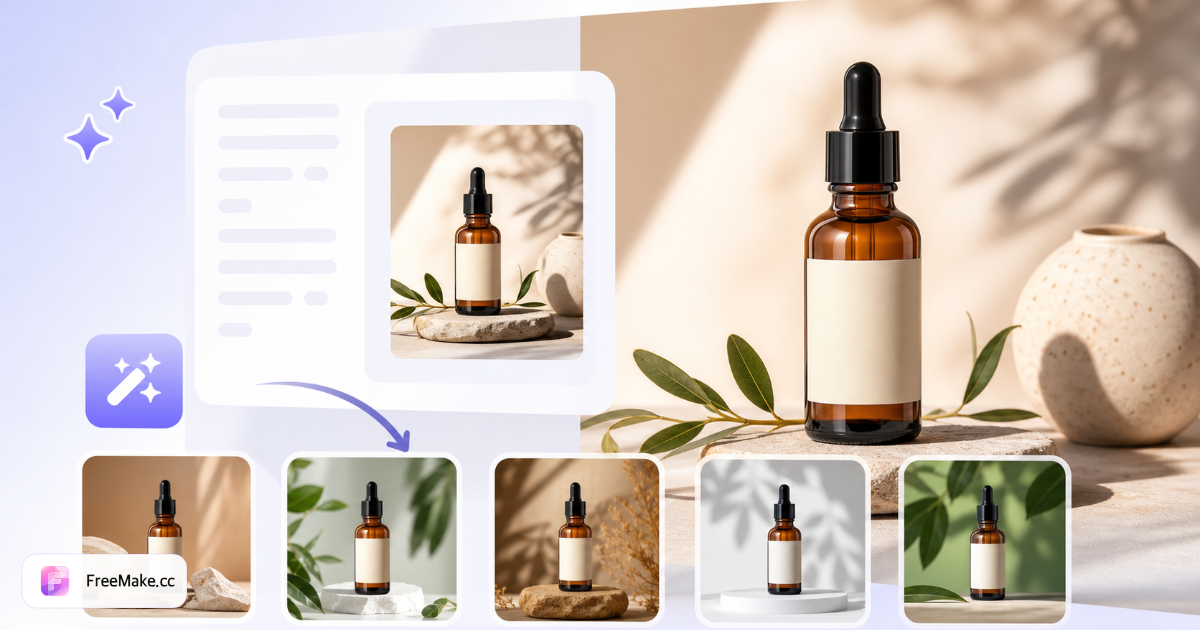
- 1Produktfoto hochladen
- 26 Prompts prüfen
- 3Bilder generieren
Produktfoto hochladen
Laden Sie ein klares Produktbild hoch. Wir analysieren es und erstellen 6 Detailseiten-Prompts auf einmal.
Wie viele Detailbilder in einem Durchlauf generiert werden (2–10)
Powered by GPT Image 2 · 3 Credits pro Bild bei dieser Einstellung
Kategorie, Material oder Verkaufsargumente für bessere Prompts
KI identifiziert Ihr Produkt und erstellt 6 Detailseiten-Aufnahme-Prompts zur Prüfung
Produktbild wird für KI-Analyse und Generierung gesendet – keine sensiblen Inhalte
So generieren Sie E-Commerce-Produktdetail-Bilder mit KI
Ein Hero-Foto reicht selten für die sechs Detailseiten-Slots, die Amazon- und Shopify-Käufer erwarten. FreeMake.cc product-detail-images analysiert Ihr Produkt und erstellt sechs Lifestyle-, Nahaufnahme- und Feature-Winkel mit KI – Upload erforderlich; entwickelt für Verkäufer, die Kataloge schnell erweitern.
Ein klares Produktfoto hochladen
Verwenden Sie ein scharfes JPG/PNG mit zentrierter SKU und lesbaren Etiketten – KI-Vision erkennt Kategorie und Materialien. Optionale Verkäufer-Notizen verfeinern den Prompt-Ton (Luxus, Outdoor, Tech usw.).
KI-generierte Aufnahme-Prompts prüfen
Die Arbeitsfläche schlägt sechs Detailseiten-Konzepte vor – Makro-Textur, Lifestyle in Nutzung, Maßstabsreferenz und mehr. Prompts vor der Generierung bearbeiten, um Markenrichtlinien zu entsprechen.
Sechs Bilder generieren und in der Vorschau prüfen
Jedes Render einzeln oder als Set herunterladen. Verpackungstext auf Genauigkeit prüfen – KI kann Etiketten-Text halluzinieren; unzulässige Angaben vor Veröffentlichung ersetzen.
Mit Weißer-Hintergrund-Hero-Workflow kombinieren
Nutzen Sie Weißer-Hintergrund- und Größenänderungs-Tools für Hauptbilder; Detail-Generator fokussiert auf Storytelling-Slots. Ausgaben vor Upload komprimieren, wenn Dateien Limits überschreiten.
Warum sechs Detail-Aufnahmen die Conversion steigern
Mobile Käufer scrollen lange Galerien vor dem Warenkorb. KI-Detail-Sets füllen Lücken, wenn Sie nur ein Lieferanten-JPEG und kein Lifestyle-Budget haben.
SKUs ohne Studio-Pakete launchen
Drop-Shipper und Marktplatz-Arbitrage-Verkäufer konkurrieren mit Galerie-Tiefe – sechs Aufnahmen aus einem Upload gleicht das Feld gegen Marken-Shops.
Konsistente Art Direction im gesamten Katalog
Vorlagen halten Beleuchtungsvokabular ähnlich, wenn Sie vor Prime Day für eine ganze Kollektion im Batch generieren.
Schneller als externe Fotografen briefen
Detail-Module am selben Tag schlagen zweiwöchige Studio-Lieferzeit, wenn Trends in Mode und Gadgets schnell wechseln.
FreeMake.cc vs. Flair.ai, Pebblely & Mokker
Flair.ai und Pebblely spezialisieren sich auf KI-Produktinszenierung mit Abos. FreeMake.cc bündelt Sechs-Aufnahmen-Detailplanung mit Gemini-Vision-Prompts und Amazon-Verkäufer-Workflow-Links.
| Funktion | FreeMake.cc | Flair.ai | Pebblely |
|---|---|---|---|
| Sechs Detail-Aufnahmen aus einem Foto | Ja | Variiert | Variiert |
| KI-Prompt-Erstellung (Vision) | Gemini / Vorlagen | Ja | Ja |
| Amazon-Verkäufer-Toolchain | Weißer Hintergrund, Compliance | Studio-Fokus | Studio-Fokus |
| Upload erforderlich | Ja | Ja | Ja |
| Integrierte FreeMake.cc-Tools | Komprimieren, Größe ändern | Nur Export | Nur Export |
Detail-Bild-Ausgaben und QA
Ausgaben sind JPG/PNG für Shopify-Produktgalerien und Amazon-Nebenbilder – regulierten Verpackungstext nie ohne menschliche Prüfung ersetzen. Rechtlich freigegebenes Hero für Angaben-Verifikation behalten.
Upload-Limit ~3 MB beim Produktbild – Quelle vor Upload komprimieren, wenn Handy-Fotos riesig sind. Tägliches KI-Kontingent gilt; verbleibende Generierungen in der Arbeitsfläche prüfen.
- Sechs Aufnahmen – Lifestyle, Makro, Kontext, Feature-Winkel
- JPG/PNG – Standard-Galerieformate
- Menschliche QA – Etiketten und Compliance-Text prüfen
- Hero separat – Weißer-Hintergrund-Hauptbild über dediziertes Tool
FAQ zum Produktdetail-Bildgenerator
- Welche sechs Aufnahmetypen werden generiert?
Standard-Set: Hero auf weißem Hintergrund, Lifestyle in Nutzung, Feature-Highlight, Maßstabsvergleich, Textur-Detail und Verpackungspräsentation. Jeder Prompt ist vor der Generierung bearbeitbar.
- Wie werden Prompts erstellt?
Wir analysieren Ihr hochgeladenes Produktbild plus optionale Verkäufer-Notizen. Mit konfiguriertem Gemini Vision werden Prompts auf das Produkt zugeschnitten; andernfalls werden professionelle E-Commerce-Vorlagen verwendet.
- Wie viel Kontingent verbraucht ein vollständiges Set?
Jedes Detailbild kostet Credits zum GPT-Image-2-Tarif in der Arbeitsfläche. Tägliche Gratis-Credits gelten nicht — anmelden und mit bezahlten Credits oder Anmelde-Geschenk-Credits zahlen.
- Kann ich Ergebnisse direkt veröffentlichen?
Behandeln Sie Ausgaben als KI-Entwürfe. Prüfen Sie Genauigkeit und Plattform-Compliance vor der Veröffentlichung. Nicht für irreführende Angaben verwenden.
- Wie viele Bilder pro Generierung?
Typischerweise sechs Detail-Winkel/Stile aus einer Produktreferenz – einzeln oder als Set herunterladen.
- Auch Hauptbild mit weißem Hintergrund nötig?
Nutzen Sie Weißer-Hintergrund- und Größenänderungs-Tools für Hero-Bilder; dieses Tool fokussiert auf Detailseiten-Storytelling.
- Upload erforderlich?
Ja – Produktfoto wird für KI-Generierung gesendet. Bezahlte oder Geschenk-Credits in der Arbeitsfläche prüfen.
- Vor dem Upload komprimieren?
Hochwertiges JPG ist in Ordnung; komprimieren Sie, wenn Ihre Datei Upload-Limits überschreitet.
Weitere kostenlose Bildtools
Entdecken Sie weitere browserbasierte Tools auf FreeMake.cc—alle verlinkt für einen schnellen Zugriff.