
Für DTC-Marken & Lifestyle-Listings auf Marktplätzen
KI-Produktszenengenerator — Kostenloses E-Commerce-Tool
Autor: FreeMake.cc Imaging-TeamZuletzt aktualisiert:
Lade einen Freisteller oder ein schlichtes Produktfoto hoch und generiere sofort fotorealistische Umgebungen.
- Nutze einen sauberen Packshot oder entferne zuerst den Hintergrund für beste Ergebnisse.
- Wähle Küche, Schlafzimmer, Café, Strand, Luxus oder saisonale Presets.
- Lade dein Szenenbild herunter oder generiere mit einem anderen Stil neu.
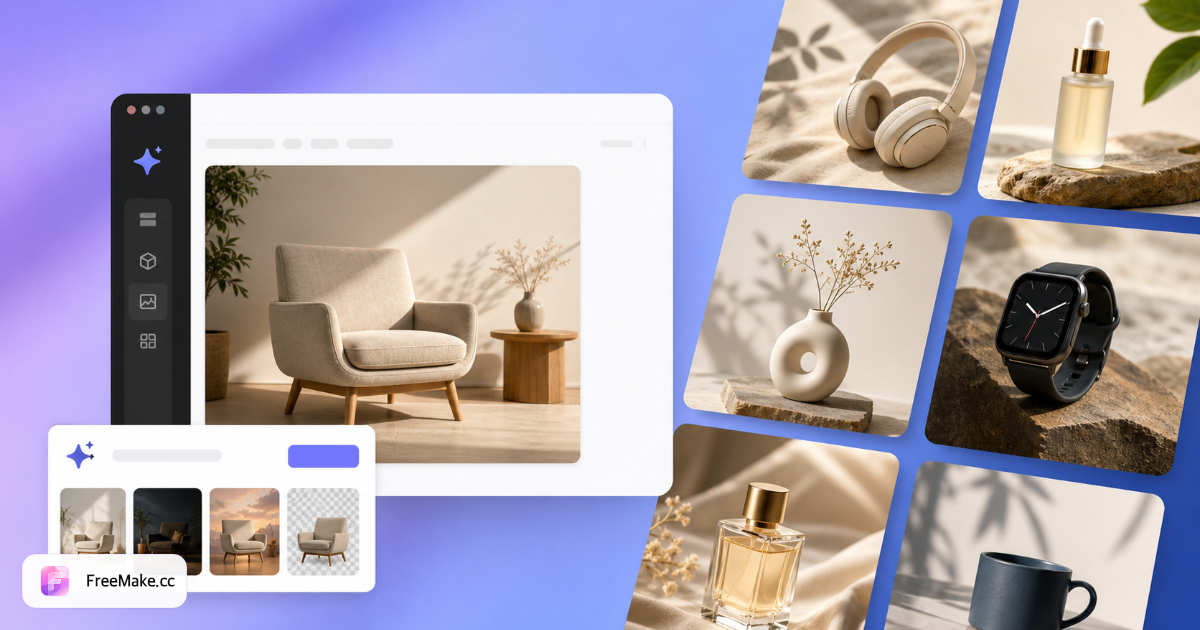
So erstellst du Produkt-Lifestyle-Szenen mit KI
Verwandle schlichte Packshots in Küchen-, Schlafzimmer-, Café-, Strand- und saisonale Umgebungen. Die KI passt Licht und Schatten an, damit Produkte natürlich platziert wirken — nicht wie auf Stock-Hintergründe geklebt.
Produktfoto oder Freisteller hochladen
Saubere Packshots funktionieren; transparente PNG-Freisteller liefern die genaueste Platzierung. Entferne zuerst den Hintergrund für beste Schattenqualität.
Szenen-Presets wählen oder individuell beschreiben
Wähle Küche, Wohnzimmer, Café, Strand, Luxus oder saisonale Vorlagen. Jedes Preset zeigt eine Referenz-Miniaturansicht in der Werkbank.
Generieren und verfeinern
Ein Credit pro Szene/Stil. Lade JPG/PNG herunter oder generiere mit einer anderen Umgebung neu, bis das Composite zu deiner Marke passt.
Mit White-Bg-Hero-Workflow kombinieren
Nutze Lifestyle-Szenen für sekundäre Galerie-Slots; generiere Amazon-Hauptbilder separat mit dem Produktbildgenerator oder dem White-Background-Tool.
Warum Lifestyle-Produktszenen die Klickrate steigern
Käufer stellen sich Produkte zu Hause vor. KI-Szenengenerierung ersetzt teure Location-Shootings, wenn du nur einen Studio-Packshot hast.
Galerie-Slots ohne Location-Budget füllen
DTC-Marken und Marktplatzverkäufer ergänzen Küchen-, Schlafzimmer- und Outdoor-Kontext aus einem Upload — entscheidend für mobile Scroll-Tiefe.
Saisonale Kampagnen schnell testen
Wechsle Strand-, Feiertags- oder Café-Presets, bevor du ein volles Fotoshooting für Q4- oder Sommerkollektionen buchst.
Konsistente Schatten und Beleuchtung
KI-Composites passen die Produktbeleuchtung an die Szene an — sauberer als manuelle Photoshop-Freisteller für Nicht-Designer.
FreeMake.cc vs. Pebblely, Mokker & Canva KI-Hintergrund
Szenengeneratoren unterscheiden sich bei Freisteller-Qualität, Preset-Tiefe und Verkäufer-Workflow. FreeMake.cc richtet sich an E-Commerce-Händler, die Compliance und Resize auf derselben Domain brauchen.
| Feature | FreeMake.cc | Pebblely | Canva KI |
|---|---|---|---|
| Küche / Café / Strand Presets | Yes | Yes | Templates |
| Freisteller-empfohlener Workflow | Verknüpftes Remove-Bg-Tool | Built-in | Built-in |
| E-Commerce-Toolchain auf derselben Seite | Komprimieren, Compliance | Export | Design-Suite |
| Individueller Szenen-Prompt | Yes | Varies | Yes |
| Credits pro Szene | 1 Credit | Subscription | Pro-Plan |
Szenen-Ausgaben und Best Practices
Downloads sind JPG/PNG für Shopify-Galerien, Amazon A+-Inhalte und Social Ads. Prüfe, ob die Produktgröße realistisch wirkt — KI kann in Weitwinkelräumen die Größe übertreiben.
Entferne den Hintergrund vor der Generierung, wenn Schatten flach wirken. Komprimiere Ausgaben vor dem Upload, wenn Dateien Marktplatz-Limits überschreiten.
- Küche / Schlafzimmer — Haushaltswaren und Dekor
- Café / Outdoor — Food, Getränke und Lifestyle-SKUs
- Saisonale Presets — Feiertags- und Sommerkampagnen
- Zuerst freistellen — transparentes PNG für natürliche Schatten
FAQ zum Produktszenengenerator
- Muss ich zuerst den Hintergrund entfernen?
Nicht zwingend, aber ein sauberer Freisteller liefert die genauesten Schatten und Platzierung.
- Kann ich eine eigene Szenenbeschreibung nutzen?
Ja — wähle ein Preset oder beschreibe eine individuelle Umgebung im Prompt.
- Sind Schatten und Beleuchtung realistisch?
Die KI passt die Produktbeleuchtung an die Szene an — für natürlich wirkende Composites.
- Welche Produkte funktionieren am besten?
Haushaltswaren, Beauty, Lebensmittel, Mode-Accessoires und Elektronik.
- Soll ich zuerst den Hintergrund entfernen?
Optional, aber empfohlen — saubere Freisteller erzeugen bessere Schatten und Platzierung.
- Wie viel Kontingent pro Szene?
Jede Szene/Stil-Kombination kostet ein KI-Credit.
- Kann ich Szenenstile vor der Generierung in der Vorschau sehen?
Ja — jedes Szenen-Preset zeigt eine Referenz-Miniaturansicht im Optionsraster der Werkbank.
- Ausgabeformat?
JPG/PNG-Downloads mit Markendateinamen — verwenden Sie die Komprimierung, wenn Dateien zu groß sind.
Weitere kostenlose Bildtools
Entdecken Sie weitere browserbasierte Tools auf FreeMake.cc—alle verlinkt für einen schnellen Zugriff.