
Pour les utilisateurs qui ont besoin d'un fichier .ai pour les flux de travail Adobe Illustrator.
PNG/JPG vers AI – Gratuit
Auteur : Équipe imaging FreeMake.ccDernière mise à jour :
EPS compatible avec Illustrator 8 enregistré en tant que .ai
- Tracer des bitmaps en chemins vectoriels
- Traitez jusqu'à 10 images
- Traitement 100 % local
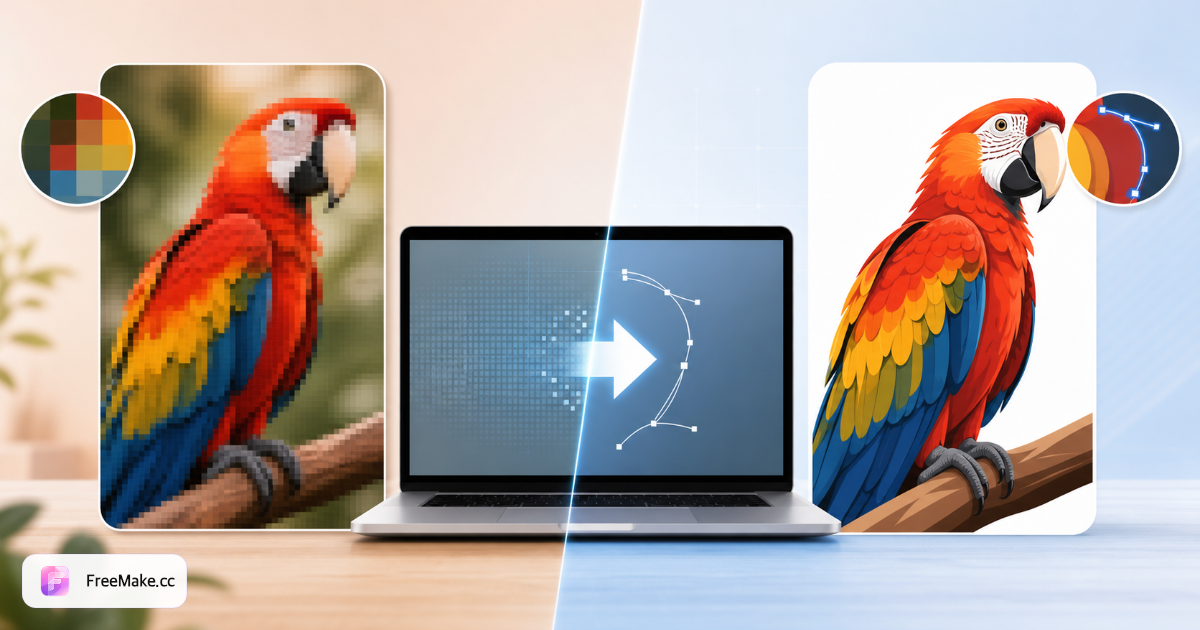
Comment convertir un bitmap en format Adobe Illustrator (AI)
Les équipes de design et les partenaires d'impression ont souvent besoin de fichiers .ai pour modifier les chemins, les couleurs de repérage et les gabarits d'emballage. FreeMake.cc transforme les bitmaps en .ai et trace les logos dans un format compatible avec Illustrator directement dans votre navigateur—prévisualisez les chemins avant de les transmettre aux agences.
Téléchargez un logo net au format PNG ou JPG.
Commencez par des éléments de marque approuvés, et non des photographies de produits. Des remplissages solides et des palettes de couleurs limitées se transforment en vecteurs modifiables que les designers peuvent affiner plus rapidement que de redessiner.
Générer un fichier vectoriel compatible avec l'IA
Vérifiez la qualité des traces sur les symboles de marque et les traits fins. Les dégradés complexes peuvent s'aplatir - les designers doivent s'attendre à des couches de nettoyage dans Illustrator.
Ouvrir dans Adobe Illustrator
Illustrator ou applications compatibles pour éditer des chemins, ajuster les couleurs PMS et préparer des PDF pour impression. L'exportation de FreeMake.cc accélère les délais des fournisseurs ; cela ne remplace pas les constructions vectorielles professionnelles pour les grandes refontes de marque.
Conservez les maîtres raster pour les annonces
Amazon et Shopify ont toujours besoin de héros JPG—les fichiers AI sont pour les opérations de design, pas pour les emplacements de téléchargement sur le marché. Chaînez à partir des outils SVG ou EPS si les partenaires demandent différentes variantes vectorielles.
Pourquoi les fichiers .ai alimentent toujours les opérations de marque
Le commerce électronique fonctionne avec des JPG ; les systèmes de marque fonctionnent avec Illustrator. Bitmap-to-ai comble le fossé lorsque vous n'avez qu'un PNG d'un fournisseur hérité.
Transfert d'agence sans redessiner les devis
Les concepteurs indépendants facturent pour reconstruire les logos à partir d'une trace JPG floue afin de réduire le temps de briefing sur les projets de rafraîchissement des emballages.
Flux de travail de couleur d'accompagnement et de dieline
Les fichiers Illustrator AI s'intègrent aux modèles découpés à l'emporte-pièce et les échantillons PMS-EPS/SVG seuls peuvent manquer les conventions de studio attendues par votre imprimante.
Trace locale pour les marques confidentielles
Les fusions et acquisitions modifient le processus des actifs localement avant de partager l'IA modifiable en dehors de l'organisation, ce qui réduit les fuites accidentelles dans le cloud pendant la diligence.
FreeMake.cc vs CloudConvert, Convertio et Vector Magic
CloudConvert et Convertio téléchargent pour l'exportation AI/EPS du serveur. Vector Magic est spécialisé dans les traces premium avec paiement. FreeMake.cc propose un navigateur .ai export lié aux frères et sœurs SVG/EPS.
| Feature | FreeMake.cc | CloudConvert | Magie vectorielle |
|---|---|---|---|
| Exportation Bitmap vers .ai | Oui — navigateur | Téléchargement du serveur | Desktop/app |
| Flux de travail de l'illustrateur | Yes | Vecteur générique | Excellentes traces |
| Traçage axé sur le logo | Yes | General | General |
| Option de navigateur local | Yes | No | App |
| Transfert rapide gratuit | Yes | Limited | Paid |
Exigences de sortie .ai et Illustrator
.ai est le format natif d'Adobe Illustrator—chemins Bézier modifiables, calques et typographie lorsque la qualité de traçage le permet. Vous avez besoin d'Illustrator ou d'une application compatible pour ouvrir les fichiers ; les navigateurs ne peuvent pas éditer .ai directement.
Utilisez bitmap-to-svg pour les besoins web uniquement et bitmap-to-eps lorsque les imprimeurs rejettent l'IA. Agrandissez les petits logos raster avant de les tracer ; utilisez remove-background pour les marques photographiées sur du papier coloré.
- .ai — Édition Illustrator, emballage, transfert d'agence
- Entrée PNG — logo transparent préféré
- Pas pour les photos de produit — les annonces restent JPG
- Illustrateur requis — ouvrir et affiner les chemins exportés
FAQ sur Bitmap à AI
Notes de compatibilité avec l'IA.
- Quel type de fichier AI est-ce ?
Nous exportons un fichier .ai basé sur EPS compatible avec Illustrator 8 que Adobe Illustrator peut ouvrir. Ce n'est pas un document AI natif basé sur PDF moderne.
- Puis-je modifier les calques ?
La sortie est des chemins aplatis remplis. Pour un travail en couches, affinez le fichier à l'intérieur d'Illustrator après l'avoir ouvert.
- CorelDRAW (.cdr) ?
Il n'existe pas d'écrivain .cdr open-source fiable dans le navigateur. Essayez EPS ou SVG et importez dans CorelDRAW.
- À quoi sert la sortie .ai ?
S'ouvre dans Adobe Illustrator pour des modifications supplémentaires—chemins, couleurs et préparation à l'impression.
- Alternatives SVG ou EPS ?
SVG pour le web ; EPS pour les imprimeries. Choisissez le format que votre équipe utilise.
- Photos complexes ?
Restez fidèle aux logos et aux illustrations plates—les photos doivent rester au format raster.
- Améliorer la qualité de la trace ?
Commencez avec un PNG haute résolution avec un contraste solide ; agrandissez les petits logos si nécessaire.
- Besoin d'installer Illustrator ?
Vous avez besoin d'Illustrator (ou d'une application compatible) pour ouvrir et modifier le fichier .ai exporté.
Plus d'outils gratuits
Autres utilitaires navigateur sur FreeMake.cc — liens rapides.