
Pour les designers, les vendeurs et les marketeurs qui ont besoin de SVG évolutifs.
PNG/JPG vers SVG – Gratuit
Auteur : Équipe imaging FreeMake.ccDernière mise à jour :
Suivi basé sur le navigateur avec SVG téléchargeable
- Tracer des bitmaps en chemins vectoriels
- Traitez jusqu'à 10 images
- Traitement 100 % local
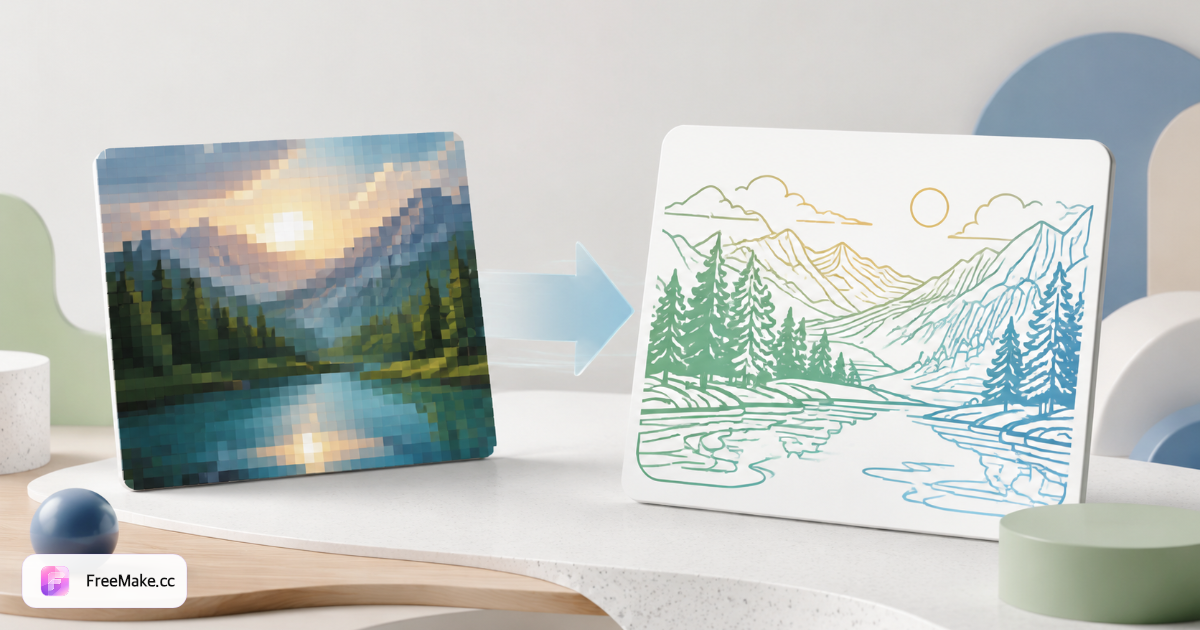
Comment convertir un bitmap en SVG en ligne
Les logos et icônes sur les vitrines de marché doivent avoir une évolutivité infinie sans flou. FreeMake.cc transforme les œuvres d'art PNG/JPG en vecteurs SVG localement dans votre navigateur - prévisualisez avant de télécharger, pas de téléchargement pour le traçage standard.
Téléchargez un logo ou une icône à fort contraste
Les marques de marque plates, les symboles d'emballage et les illustrations en ligne se tracent proprement. Les photographies et les dégradés sont de mauvais candidats pour le SVG—restez sur les logos des vendeurs et les icônes d'interface utilisateur.
Ajustez la sensibilité de trace si disponible
Une meilleure définition capture les petits traits ; une définition inférieure simplifie les scans bruyants. Commencez par le plus grand PNG que vous avez—agrandissez modestement d'abord les petits logos raster.
Aperçu des chemins vectoriels
Zoomer dans les courbes et les coins avant l'exportation. Simplifiez les chemins trop complexes qui gonflent la taille du fichier SVG dans les actifs du thème Shopify.
Télécharger SVG pour le web ou le transfert de design
Utilisez dans les en-têtes de thème, les favicons et les kits de marque prêts à imprimer. Besoin d'EPS ou d'AI pour les fournisseurs ? Utilisez ensuite les outils bitmap-to-eps ou bitmap-to-ai.
Pourquoi les logos vectoriels sont importants pour les marques
Les logos raster se floutent sur les écrans Retina et les épreuves d'emballage surdimensionnées. Le SVG offre aux vendeurs DTC un branding net à travers les thèmes, les factures et les fiches de ligne en gros.
Logos d'en-tête Shopify nets
Les logos de thème s'adaptent aux mobiles et aux 4K sans ré-exportation des designers—tracez une fois à partir des packs de marque JPG hérités.
Actifs plus petits pour des thèmes rapides
Les SVG simples se chargent plus rapidement que les logos PNG lourds—ils soutiennent les Core Web Vitals sur les boutiques personnalisées.
Confidentialité de la trace locale
Les marques de rebranding non publiées restent sur l'appareil—aucun téléchargement sur Vectorizer.ai pendant les lancements discrets.
FreeMake.cc contre Vectorizer.ai, Autotracer et Convertio
Vectorizer.ai fournit des traces AI premium via téléchargement. Autotracer et Convertio sont côté serveur. FreeMake.cc trace localement pour des logos simples avec des liens vers des outils de vendeur.
| Feature | FreeMake.cc | Vectorizer.ai | Autotracer |
|---|---|---|---|
| Suivi du navigateur local | Yes | IA Cloud | Téléchargement du serveur |
| Concentration sur le logo / l'icône | Optimized | IA générale | General |
| Téléchargement SVG | Yes | Yes | Yes |
| Photo en SVG | Non recommandé | Possible | Poor |
| Gratuit sans inscription | Yes | Crédits payants | Limites gratuites |
Meilleures pratiques pour le traçage SVG
SVG (Scalable Vector Graphics) stocke des chemins et des remplissages - idéal pour les logos avec des couleurs unies. Les dégradés se simplifient en formes plates dans le traçage de base ; les illustrations complexes nécessitent un redessin vectoriel manuel.
Supprimez les arrière-plans colorés avec remove-background avant de tracer des logos pris sur du papier sans couture. Exportez en EPS ou AI lorsque les imprimeurs rejettent le SVG.
- SVG — logos web, icônes, ressources de thème
- Entrée PNG — œuvre d'art plate à fort contraste
- Pas pour les photos — utilisez JPG pour les listes de produits
- Chaîne EPS/AI — flux de travail d'impression et Illustrator
FAQ sur la conversion de Bitmap en SVG
Notes sur la qualité et le format du traçage.
- Est-ce vraiment gratuit ?
Oui. Le traçage s'exécute dans votre navigateur sans inscription.
- Les photos se vectorisent-elles bien ?
Les graphiques plats et les logos fonctionnent le mieux. Les photos complexes peuvent sembler posterisées.
- Besoin d'EPS ou d'AI à la place ?
Utilisez nos convertisseurs AI compatibles avec EPS ou Illustrator.
- Quelles images se vectorisent le mieux ?
Les logos, icônes et illustrations en ligne à fort contraste fonctionnent le mieux. Les photos ne sont pas idéales pour le traçage SVG.
- Besoin d'Illustrator AI ou EPS à la place ?
Utilisez nos outils d'exportation EPS ou AI pour les flux de travail Adobe.
- Les couleurs seront-elles préservées ?
Des palettes simples se tracent proprement ; les dégradés peuvent se simplifier en formes plates.
- Agrandir le raster avant le traçage ?
La montée en gamme modérée peut aider les logos en dents de scie—essayez l'upscaler sur de petites sources en premier.
- Traitement local ?
Le traçage s'effectue dans votre navigateur—aucun téléchargement pour l'exportation standard de bitmap à SVG.
Plus d'outils gratuits
Autres utilitaires navigateur sur FreeMake.cc — liens rapides.