
Für Verkäufer, die Lieferanten- oder Handy-Fotos korrigieren
Helligkeit & Kontrast Tool – Kostenlos
Autor: FreeMake.cc Imaging-TeamZuletzt aktualisiert:
Lokale Farbanpassungen mit Live-Vorschau
- Unterbelichtete Lagerfotos retten
- Batch-Anpassung bis zu 10 Bildern
- Kein Upload—privat im Browser bearbeiten
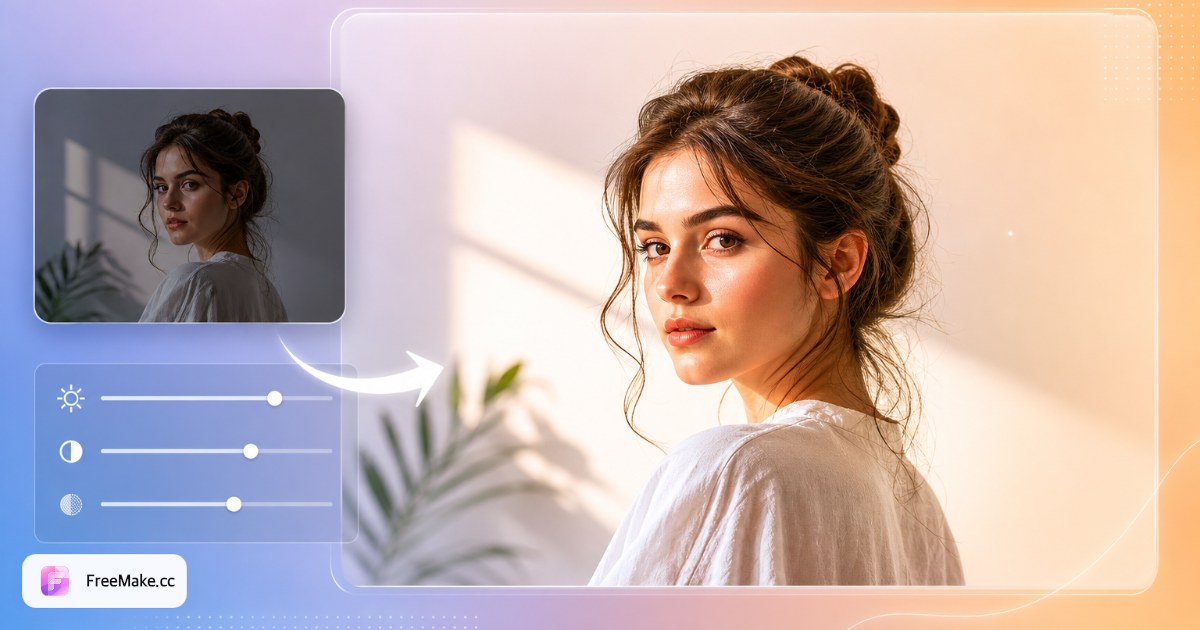
So passen Sie Helligkeit und Kontrast für Produktfotos an
Unterbelichtete Lageraufnahmen und graues Winterlicht lassen Produkte in Such-Rastern matt wirken. FreeMake.cc passt Helligkeit und Kontrast lokal an – Batch bis zu zehn Bildern mit Live-Vorschau, kein Upload.
Listing- oder Roh-Lieferantenfotos hochladen
JPG und PNG von Handy- oder DSLR-Imports funktionieren. Belichtung vor Weißer-Hintergrund- oder Komprimierungs-Schritten korrigieren, damit Rauschen nicht doppelt verstärkt wird.
Helligkeits- und Kontrast-Schieberegler einstellen
Helligkeit bei dunklen Packshots leicht erhöhen; Kontrast hinzufügen, damit Kanten auf weißen Amazon-Hintergründen hervorstechen. Highlight-Clipping auf glänzender Verpackung vermeiden.
Auf repräsentativer SKU in der Vorschau prüfen
Einstellungen auf erstes Bild anwenden, dann Batch, wenn Katalog dieselbe Beleuchtung teilt. Verschiedene Lieferanten brauchen möglicherweise pro-Ordner-Anpassungen.
Exportieren und Listing-Vorbereitung fortsetzen
Korrigierte Dateien herunterladen, dann Weißer Hintergrund, Größe ändern und komprimieren wie nötig. Farbgenauigkeit bei markenkritischen SKUs erneut prüfen.
Warum schnelle tonale Fixes CTR steigern
Käufer scrollen an matschigen Miniaturen vorbei. Schnelle lokale Anpassungen normalisieren heterogene Lieferanten-Bibliotheken ohne Lightroom für jede Datei.
Multi-Lieferanten-Kataloge normalisieren
Jede Fabrik liefert andere Belichtung. Batch-Helligkeits-Durchläufe schaffen kohärente Storefront-Grids vor saisonalen Kampagnen.
Akzeptable Handy-Fotografie retten
Leichte Unterbelichtung ist behebbar; Nachshoot kostet Tage. Kontrast-Lift hilft Verpackungstext in mobilen Miniaturen lesbar zu machen.
Lokale Bearbeitungen schützen Embargos
Unveröffentlichte Farbvarianten bleiben auf Ihrer Maschine — kein Cloud-Foto-Editor verarbeitet vertrauliche Assets.
FreeMake.cc vs. Photopea, Canva & Lightroom Web
Voll-Editoren bieten Kurven und HSL; FreeMake.cc fokussiert auf die zwei Schieberegler, die Verkäufer am meisten für Katalog-Normalisierung nutzen — lokal und im Batch.
| Funktion | FreeMake.cc | Photopea | Canva |
|---|---|---|---|
| Helligkeit + Kontrast Batch | 10 Bilder lokal | Manuell pro Datei | Pro Design |
| Kein Konto erforderlich | Ja | Ja | Konto |
| Listing-Workflow-Geschwindigkeit | Einzelzweck | Voll-Editor-Ladezeit | Vorlage zuerst |
| 100 % Browser lokal | Ja | Meist lokal | Cloud |
| Kostenlos für Verkäufer | Ja | Ja | Gratis-Tier-Limits |
Farbanpassungs-Tipps für E-Commerce
Funktioniert auf JPG- und PNG-Produktfotos. Extreme Wiederherstellung überbelichteter Highlights oder zerdrückter Schatten ist limitiert — subtile Korrekturen anstreben, die Textur auf Stoffen und Metallen erhalten.
Vor Komprimieren anpassen: aggressive JPG-Komprimierung nach starken tonalen Pushs kann in Himmel und Verläufen banden. Für Markenfarben-Genauigkeit gegen physische Muster auf kalibrierten Monitoren vergleichen.
- Helligkeit — dunkle Lageraufnahmen bescheiden anheben
- Kontrast — Produkt von Weißer-Hintergrund-Heroes trennen
- Batch — gleiche Beleuchtung über zehn SKUs
- Kette — Farbe → weißer Hintergrund → Größe ändern → komprimieren
Farbanpassung FAQ
Umfang der globalen Farbanpassung.
- Gut für welche Probleme?
Allgemeine Unterbelichtung, flacher Kontrast, ausgewaschene Farben bei Produktaufnahmen.
- Lokale Bearbeitungen oder Hintergrundtausch?
Nein — nur global. Pro-Editor für Masken nutzen.
- Gleiche Einstellungen für Batch?
Ja — ein Schieberegler-Set gilt für alle Bilder im Durchlauf (bis zu 10).
- Hochladen
Nein — alles lokal.
- Nächste Schritte für Listings?
Compliance, komprimieren oder Größe ändern wenn nötig.
- Unterbelichtete Produktfotos korrigieren?
Helligkeit leicht erhöhen und Kontrast hinzufügen, damit Produkte auf weißen Hintergründen hervorstechen.
- Beeinflussen Bearbeitungen die Dateigröße stark?
Export kann Größe leicht ändern. Danach komprimieren, wenn Marktplatz-Limits gelten.
- Batch-Limit?
Bis zu 10 Bilder pro Durchlauf, alles lokal verarbeitet.
Weitere kostenlose Bildtools
Entdecken Sie weitere browserbasierte Tools auf FreeMake.cc—alle verlinkt für einen schnellen Zugriff.