
Für Print-Designer und Teams, die weiter EPS benötigen
PNG/JPG zu EPS – kostenlos
Autor: FreeMake.cc Imaging-TeamZuletzt aktualisiert:
Lokales Tracing mit EPS-Download
- Bitmaps zu PostScript-Pfaden vektorisieren
- Batch bis zu 10 Bilder
- 100 % lokale Verarbeitung
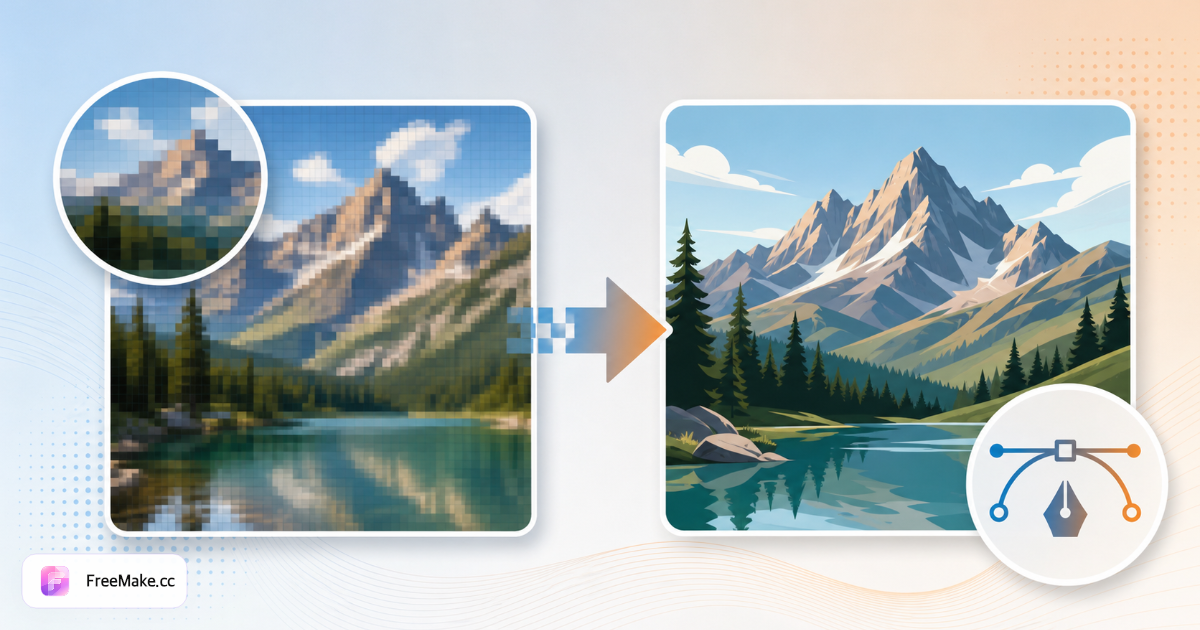
Bitmap für den Druck in EPS konvertieren
Druckereien und Legacy-Illustrator-Pipelines verlangen oft EPS-Vektorumrisse statt PNG-Logos. FreeMake.cc bitmap-to-eps vektorisiert flache Grafik lokal mit Browser-Vorschau — ideal für Verpackungsproofs und Wholesale-Brand-Decks.
Logo oder flache Grafik PNG/JPG hochladen
Marken mit hohem Kontrast vektorisieren am besten. Unruhige Foto-Hintergründe zuerst entfernen — EPS ist für Vektoren, nicht Produktfotos.
Vektor-Trace zu EPS ausführen
Pfadtreue bei Buchstaben und ®-Symbolen prüfen. Kleine Schrift braucht ggf. Vereinfachung oder manuelle Nachbearbeitung in Illustrator.
EPS für Vendor-Übergabe laden
An Verpackungsdrucker, Stickereien oder Retail-Käufer senden, die Vektor-Markenassets neben SKU-Fotografie brauchen.
PNG-Master separat archivieren
Raster-Originale für E-Commerce-Listings behalten, während EPS dem Druck dient. Winzige Logos vor dem Trace hochskalieren, wenn Quellpixel unter 500 px Breite liegen.
Warum EPS für Merchandising noch zählt
Digital-first Seller berühren trotzdem Verpackung, Hangtags und Messe-Banner. EPS verbindet Amazon-JPG-Workflows und Druckerei-Anforderungen.
Verpackung und Beilagen
Fabriken verlangen EPS-Logos für Folienprägung und Stanzkartons — aus freigegebenen PNG-Brand-Kits vektorisieren ohne Design-Agentur.
Professionelle Wholesale-Sell-Sheets
Vektor-Logos auf B2B-PDFs skalieren sauber neben Produkttabellen — Raster-Logos wirken auf großen Buyer-Präsentationen amateurhaft.
Lokales Tracing vor öffentlichem Rebrand
Stealth-Rebrands bleiben auf dem Gerät bis Launch — keine Cloud-Kopien vertraulicher Marken.
FreeMake.cc vs. CloudConvert, Convertio & Illustrator Trace
CloudConvert lädt Quellen für Server-EPS-Export hoch. Illustrator Image Trace ist Goldstandard, aber nur Desktop. FreeMake.cc bietet schnelles Browser-EPS für einfache Logos.
| Funktion | FreeMake.cc | CloudConvert | Illustrator |
|---|---|---|---|
| Bitmap zu EPS exportieren | Ja — Browser | Server | Desktop-App |
| Logo / flache Kunst | Ja | Allgemein | Professionell |
| Lokale Verarbeitung | Ja | Nein | Ja |
| Foto zu EPS | Nicht empfohlen | Möglich | Möglich |
| Kostenloser Schnell-Export | Ja | Begrenzt | Abo |
EPS vs. SVG und AI
EPS (Encapsulated PostScript) bleibt bei älteren Druck-RIPs und Verpackungs-Vendors üblich. SVG dient dem modernen Web; AI ist natives Adobe Illustrator — EPS wählen, wenn das Vendor-Specsheet es explizit verlangt.
Von PNG mit transparentem Hintergrund nach remove-background vektorisieren für sauberere Kanten. Listing-Fotografie bleibt JPG — Fotos nie zu EPS für Amazon-Heroes konvertieren.
- EPS — Druck, Stickerei, Legacy-Vendor-Pipelines
- SVG — Web-Themes, wenn EPS nicht nötig
- AI — Weiterbearbeitung in Illustrator (.ai-Tool)
- PNG-Logo-Eingabe — transparent, hoher Kontrast
Bitmap-zu-EPS FAQ
Hinweise zum EPS-Export.
- Was ist EPS?
EPS (Encapsulated PostScript) ist ein Vektorformat, das in Druck und älteren DTP-Tools weit verbreitet ist.
- Ist die EPS-Datei bearbeitbar?
Pfade werden als Füllformen exportiert. Komplexe Bearbeitung ist nach Import in Vektor-Apps einfacher.
- Stattdessen SVG?
SVG-Konverter für Web und moderne Design-Tools nutzen.
- Warum EPS exportieren?
EPS ist üblich bei Druckereien und älteren Illustrator-Pipelines, die Vektorumrisse brauchen.
- Stattdessen SVG oder AI?
SVG fürs Web oder AI für native Illustrator-Dateien.
- Foto zu EPS?
Nicht empfohlen — Fotos als JPG/PNG behalten. EPS eignet sich für Logos und flache Grafik.
- Transparente Hintergründe?
Zuerst Hintergrund entfernen für sauberere Vektorkanten bei Logos.
- Batch-Unterstützung?
Dateien einzeln mit Vorschau vor dem Download verarbeiten.
Weitere kostenlose Bildtools
Entdecken Sie weitere browserbasierte Tools auf FreeMake.cc—alle verlinkt für einen schnellen Zugriff.