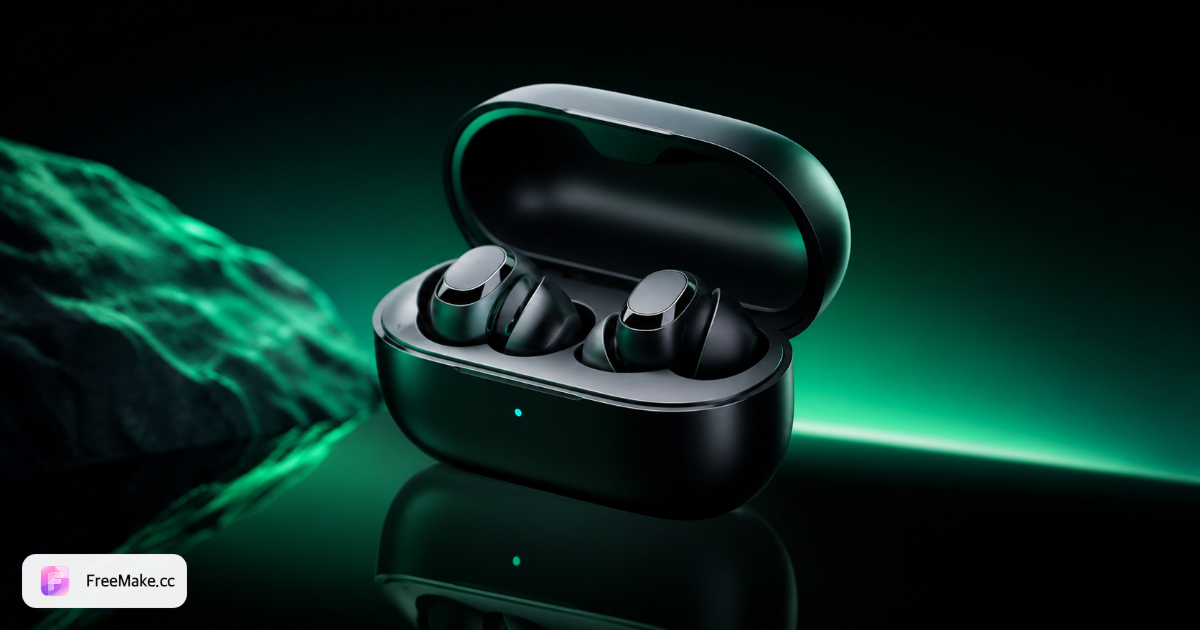
GPT Image 2 is OpenAI's latest image generation model, built for creators who need accurate text, realistic lighting, and strong prompt adherence. On FreeMake.cc you use it in the browser — we call the API server-side so you never need a ChatGPT subscription or regional workarounds.
Superior text rendering
Render headlines, labels, and poster copy legibly — a clear step up from DALL·E 3 for layout-heavy designs.
Photorealistic quality
Product photography, portraits, and lifestyle scenes with natural materials and lighting.
Text + image modes
Generate from a prompt alone or upload a reference image for image-to-image editing.
Works worldwide
Access GPT Image 2 through FreeMake.cc without VPN — built for global creators and teams.
Teams pick GPT Image 2 when the final image must include readable typography or photo-real detail.
E-commerce & product
Hero shots, white-background listings, and lifestyle product scenes for Shopify and marketplaces.
Ads & social creative
Instagram, Facebook, and display ads with on-image copy that stays sharp after export.
Posters & presentations
Event posters, slide visuals, and pitch decks where English or mixed-language text matters.
Brand & concept art
Mood boards and campaign concepts before moving to production design tools.
How to use GPT Image 2 free on FreeMake.cc
Four steps from prompt to download — sign in with Google one-tap required for 1K.
1
Open the workspace
Open the FreeMake.cc generator and pick an available model.
2
Write your prompt
Describe subject, style, lighting, and any text you want on the image.
3
Choose size & quality
Pick an aspect ratio and add a reference image for image-to-image. Sign in to generate. Daily free credits are granted after you sign in.
4
Generate & download
Download PNG, JPEG, or WebP when the job completes.
GPT Image 2 prompt examples (copy & paste)
These prompts are tuned for marketing layouts, e-commerce, and readable in-image text. Paste into the FreeMake.cc workspace and adjust brand colors or product names.
E-commerce hero with readable headline
Prompt: Studio product photo of wireless earbuds on white seamless background, soft shadow, headline text "SUMMER SALE 30% OFF" in bold sans-serif at top, photorealistic, 4K commercial lighting.
Instagram ad with offer text
Prompt: Lifestyle flat lay of skincare bottles on marble, pastel palette, overlay text "Free shipping today" in clean modern font, square composition, high-end beauty campaign style.
Poster with bilingual copy
Prompt: Minimalist event poster, deep navy background, English title "Design Week 2026" and smaller Chinese subtitle "创意设计周", centered layout, print-ready typography.
Food delivery banner
Prompt: Top-down photo of ramen bowl with steam, vibrant colors, promo badge text "Order now · 20 min delivery", appetizing commercial photography.
SaaS landing illustration
Prompt: Isometric dashboard UI floating above laptop, purple gradient background, label text "Analytics in one click", crisp vector-meets-3D style for tech startup.
Amazon A+ infographic with bullet text
Prompt: Wireless earbuds product photo on white, left side hero packshot, right column with three bullet lines "40h battery · IPX7 · Free case", clean Amazon A+ layout, photoreal, sharp sans-serif text.
Shopify lifestyle with price badge
Prompt: Hand holding skincare bottle in bright bathroom, natural light, circular price badge text "$29 today only" bottom-right, ecommerce lifestyle photography, square crop.
LinkedIn ad 1200×628 with CTA
Prompt: B2B SaaS dashboard on laptop, professional office blur background, headline text "Ship campaigns faster" and CTA button text "Start free", LinkedIn ad composition.
Image-to-image background swap
Upload your packshot, then prompt: Keep product and label text identical, replace background with cozy café table scene, warm morning light, label must stay sharp and readable.
GPT Image 2 vs other models — when to switch
GPT Image 2 excels at text-in-image and commercial photorealism. For other jobs, switch models in the same FreeMake.cc workspace — no new account.
Model
Best for
GPT Image 2 (this page)
Best overall text-in-image and photorealism. Choose for ads, posters, and product shots.
Gemini 3 Pro
Strong natural lighting and scene composition. Better when text on image is secondary.
Qwen Image 2.0
Top choice for Chinese prompts and Chinese text inside images.
Seedream 4.5
Anime, illustration, and stylized character art.
Flux 2
Editorial grading and stylized fashion — when typography is secondary.
Answers about free access, quality, and how GPT Image 2 compares to other AI image generators on FreeMake.cc.
Is GPT Image 2 really free on FreeMake.cc?
Yes. Generation is free with daily free credits after you sign in.
Do I need ChatGPT Plus or OpenAI login?
No. FreeMake.cc connects to the model on your behalf. You only use the FreeMake.cc website — no ChatGPT account or VPN required.
GPT Image 2 vs DALL·E 3 — what's different?
GPT Image 2 improves text rendering, realism, and instruction following. For marketing assets with typography, GPT Image 2 is usually the better pick.
Does GPT Image 2 support image-to-image?
Yes. Upload a reference image in the workspace to guide composition, style, or edits while keeping GPT Image 2 as the engine.
What resolutions and formats are supported?
1K, 2K, and 4K with multiple aspect ratios. Export as PNG, JPEG, or WebP from the preview panel.
Can I use Chinese or other language prompts?
Yes. GPT Image 2 understands multilingual prompts. For Chinese text inside images, Qwen Image 2.0 may still be stronger.
Can I use GPT Image 2 images commercially?
Review our Terms of Service. Free-tier output is intended for personal and internal use; commercial projects should use paid credits and verify local IP rules.
Is GPT Image 2 free with daily credits?
Yes. Sign in on FreeMake.cc and daily free credits are granted. No ChatGPT Plus or separate OpenAI login is required.
GPT Image 2 vs ChatGPT image generator — what's different?
ChatGPT requires an OpenAI account and Plus for heavy image use. On FreeMake.cc, sign in to generate. Daily free credits are granted after you sign in. No ChatGPT Plus is required.
GPT Image 2 vs Ideogram for text in images?
Ideogram is strong for typography but requires signup. GPT Image 2 on FreeMake.cc combines readable text with photoreal product shots and needs sign in with Google one-tap for 1K.
Can I use image-to-image?
Yes. Sign in, upload a reference, and run GPT Image 2 image-to-image. It uses the same daily credits as text-to-image.
How many free GPT Image 2 images per day?
FreeMake.cc grants daily free credits shared across models. 1K GPT Image 2 runs consume from that pool — the workspace shows your balance before you generate.
Related AI models
Compare capabilities and pick the best engine for your next brief.