
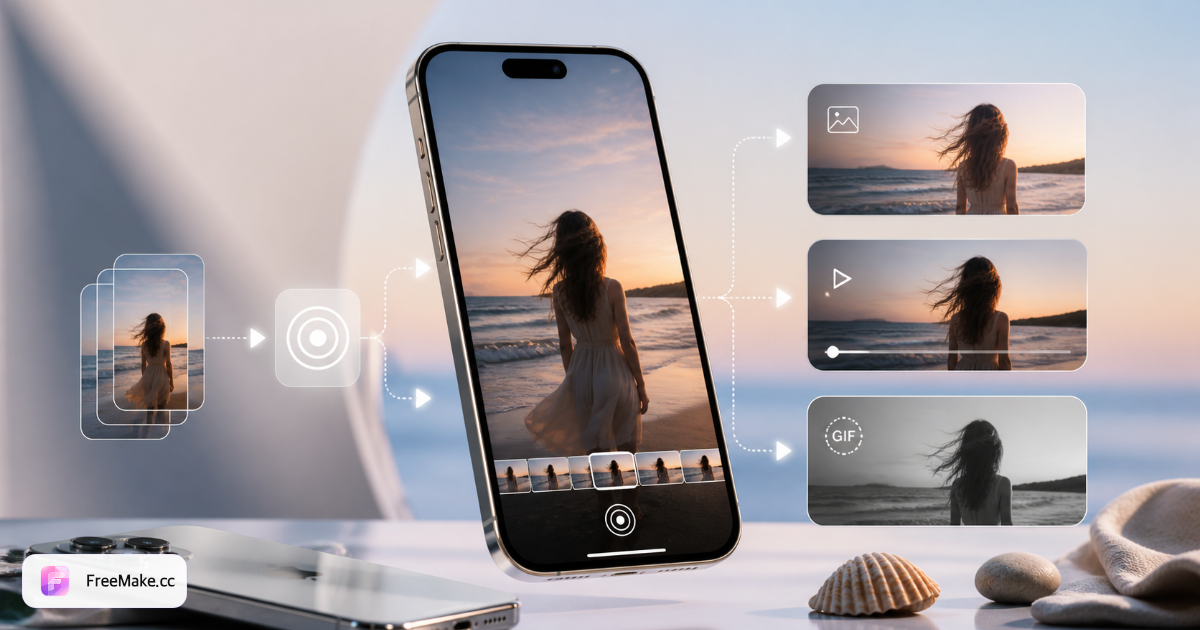
Live Photo workflows at a glance
| Goal | Input | Output | Best tool path | Notes |
|---|---|---|---|---|
| Video → Live Photo | MP4 / MOV clip | iPhone Live Photo | 3–15 s clip | Video to Live Photo tool |
| Still → Live Photo | JPG / PNG | Motion still | Single frame + subtle motion | Image to Live Photo tool |
| Live Photo → GIF | Live Photo file | Animated GIF | Social / web embed | Live Photo to GIF tool |
| Live Photo → video | Live Photo file | MP4 | Cross-platform share | Live Photo to video tool |
| GIF → Live Photo | GIF loop | iPhone wallpaper | Lock screen motion | GIF to Live Photo tool |
| Hub overview | Any Live Photo task | Right converter | Compare all tools | Live Photo tools hub |
Real scenarios: solve Live Photo problems step by step
Turn a travel clip into an iPhone lock-screen Live Photo
You have a 30-second travel video in your camera roll, but iPhone won't accept it as a dynamic wallpaper. Live Photos need a still + short video pair (about 3–15 seconds) — a plain MP4 can't be set as lock screen motion directly.
- Trim the clip to 3–15 seconds in Photos or an editor — keep the moment you want (waves, fireworks, a pet turning).
- Open FreeMake.cc Video to Live Photo and upload the trimmed MP4 or MOV.
- Scrub the preview and pick the key frame for the lock screen — that's the still shown before you press and hold.
- Download the Live Photo package and import to iPhone, then set it under Settings → Wallpaper → Add New Wallpaper → Live Photo.
- If motion feels weak, try a shorter clip with clearer movement — lock screens work best with subtle continuous motion.
Animate a single JPG like a Live Photo
You only have a product or portrait still — no video — but want a press-and-hold effect on iPhone (gentle hair movement, slow push-in), not a flat JPG.
- Start with a sharp, centered JPG or PNG — simple backgrounds and even lighting animate more cleanly.
- Open Image to Live Photo and upload the still.
- Pick a subtle motion preset (slow push-in, breeze, light drift) or use defaults — the tool pairs a short loop with the still.
- Preview the press-and-hold effect; download when the subject stays recognizable.
- Import to iPhone and long-press in Photos; if motion is too strong, regenerate with a calmer preset.
Live Photo sent in chat shows as a still — export GIF or MP4
Live Photos from iPhone often arrive as a single JPG in WeChat, WhatsApp, or Slack because most messengers don't carry Apple's Live Photo container — only the still is transmitted.
- Export the full Live Photo from iPhone (AirDrop to Mac, or share the complete file — not "Photo" only).
- For web, memes, or feeds: use Live Photo to GIF and download — smaller and animates everywhere.
- For WhatsApp, Slack, or when you need audio: use Live Photo to video and send the MP4.
- Preview GIF/MP4 locally before sending; keep GIFs under ~5 MB for chat apps.
- To reverse the flow (GIF → lock screen), use GIF to Live Photo on the same hub.
Convert a GIF meme into an iPhone Live Photo wallpaper
You saved looping GIFs but iOS won't import GIF directly as a Live Photo lock screen.
- Pick a smooth loop, ideally 3–8 seconds; trim or reduce frames if the GIF is too long.
- Open GIF to Live Photo and upload the file.
- The tool builds a Live Photo–compatible still + video pair; check the key frame in preview.
- Download, import to iPhone per on-page instructions, and set as wallpaper.
- Black bars on lock screen mean aspect ratio mismatch — crop to square or 9:16 before converting.
Back up Live Photos for Windows or Android playback
Copied to a Windows folder, Live Photos split into .jpg + .mov or show only .jpg; Android can't long-press them like iPhone.
- On iPhone, confirm the LIVE badge and AirDrop or cable-export with all photo data.
- For playback anywhere: Live Photo to video → single MP4 — best cross-platform compatibility.
- Play MP4 on Windows or share on Android; no Live Photo support required.
- Keep original Live Photo files if you may set iPhone lock screens again — don't archive MP4 only.
- For bulk backup, store MP4s on NAS; re-run Video to Live Photo on select clips when you need lock-screen motion again.
5 Live Photo mistakes (and fixes)
Treating Live Photo as a normal JPG
A Live Photo is a still plus a short video pair. Renaming or emailing only the .jpg loses motion. Export through a converter when recipients need the full effect.
Using a video that's too long
iPhone Live Photos work best with short clips — usually under 15 seconds. Trim in your editor first, then run Video to Live Photo on FreeMake.cc.
Expecting Android to open Apple Live Photos natively
Cross-platform sharing often needs MP4 or GIF. Convert Live Photo to video for WhatsApp or Slack; use GIF for web previews.
Paying for a single-use converter app
Most one-off conversions don't need a subscription. Browser tools on FreeMake.cc handle video ↔ Live Photo ↔ GIF with no signup.
Confusing Motion Photo with Live Photo
Android Motion Photos and Apple Live Photos use different containers. Match the export format to the phone you're targeting — our hub lists each converter by direction.
Live Photo FAQ
- What is a Live Photo?
- A Live Photo records 1.5 seconds before and after you tap the shutter, stored as a still image plus a short video. On iPhone it plays when you press and hold the photo.
- Can I make a Live Photo from a regular video?
- Yes. Use the Video to Live Photo tool: upload a short clip, pick the key frame, and download a Live Photo compatible with iPhone. For lock-screen import steps, see the video-to-Live-Photo iPhone guide on FreeMake.cc/blog/how-to-convert-video-to-live-photo-iphone.
- How is Live Photo different from a GIF?
- GIFs loop forever and work everywhere on the web. Live Photos are optimized for iPhone lock screens and the Photos app — convert between them when your audience changes.
- Do I need to install software?
- No. FreeMake.cc runs conversion in your browser. Files process locally where possible; no account required for standard conversions.
- How long can a Live Photo be?
- Native iPhone Live Photos are about 1.5 seconds around the shutter. When building from video, stay within 3–15 seconds — longer clips may not play fully on lock screen or produce large files.
- AirDrop to Mac shows only JPG — no motion?
- Only the still was transferred. On iPhone, confirm the LIVE badge and AirDrop all photo data, or export the full Live Photo. If you have the .mov component, use Live Photo to video to preview and share.
- Can I create Live Photos on Windows?
- Yes — use FreeMake.cc in the browser to convert video, stills, or GIFs, then import to iPhone. Windows can't set Apple lock-screen Live Photos locally, but you can generate the correct files on PC.
- How are Live Photos related to HEIC?
- iPhone stills are often HEIC. A Live Photo is a pair: HEIC/JPEG still + MOV video. A HEIC file alone is not a Live Photo — use Image to Live Photo to add motion instead of renaming extensions.
- The converted file is huge — how do I shrink it?
- Shorten duration first (3–5 seconds is often enough). For GIF, use a tight loop; for MP4, moderate bitrate. Avoid re-encoding the same asset repeatedly — each pass adds size or quality loss.
Free Live Photo tools — no signup
Pick the converter that matches your input. All tools link from the Live Photo hub.
Related reading
- How to Convert Video to Live Photo on iPhone
iPhone won't set a plain MP4 as a dynamic lock screen — you need a Live Photo pair (still + short motion). Convert any trimmed clip in the browser, then import to Photos in under five minutes.
- HEIC to JPG Guide — Fix iPhone Photos That Won't Open
HEIC saves space on iPhone but breaks on Windows PCs, Android previews, and most marketplace uploads. Convert locally to JPG — no upload, batch 10 photos.
- How to Open HEIC Files on Windows 11
If double-clicking an iPhone photo shows "Windows can't open this file," you're dealing with HEIC — not a corrupt image. Here are three fixes, ranked by reliability for teams.