
For sellers, creators & brand teams worldwide
Crop Image for Social Media – Free Tool
Author: FreeMake.cc Imaging TeamLast updated:
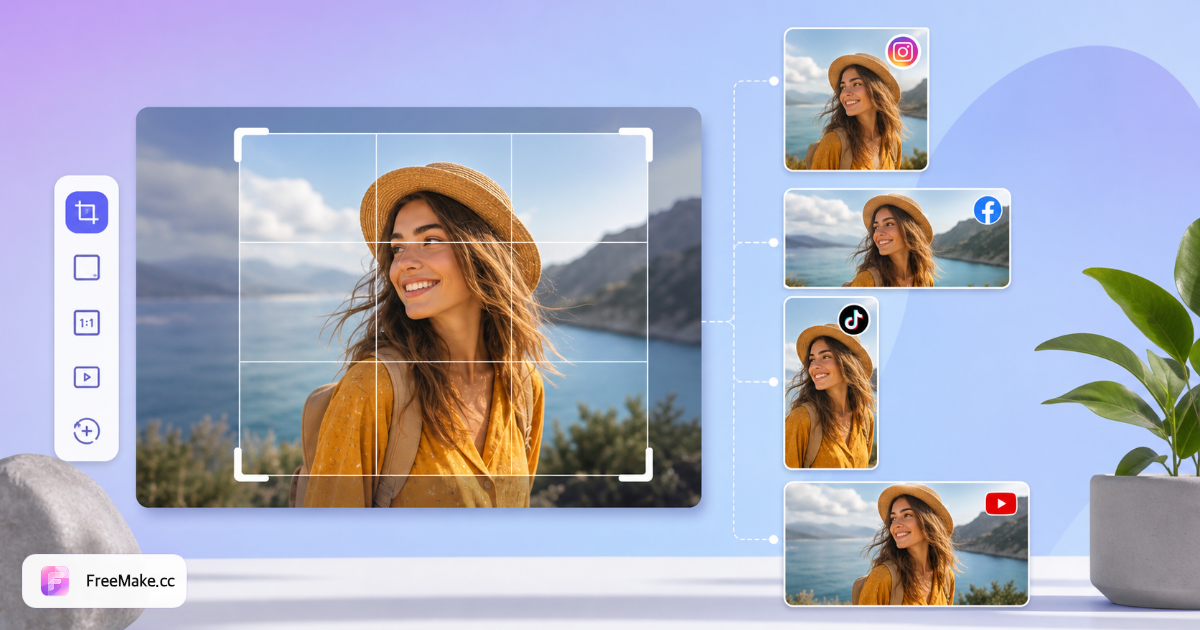
One product photo, cropped for every marketplace—built-in Amazon, Shopify & Instagram ratios
- Built-in ratios for Amazon, Instagram, Shopify — no pixel math
- Large canvas on the right — drag and zoom until the frame looks rightLarge canvas below — drag and zoom until the frame looks right
- Single-image mode for precision; use Resize for batch dimension changes
References: Amazon image size guide
How to Crop Images for Instagram, Amazon & Listings
Aspect ratio drives whether your product fills the frame on Amazon search results or gets cropped awkwardly on Instagram. FreeMake.cc crops locally in your browser with presets for 1:1, 4:5, 9:16, and freeform—no upload required.
Upload the image you want to reframe
Add a PNG or JPG from your camera roll or studio shoot. Cropping is single-image focused for precise composition—ideal when one hero shot must become a square main image and a vertical Story asset.
Select a preset or custom aspect ratio
Amazon main images often use 1:1; Instagram Feed favors 1:1 or 4:5; Reels and Stories use 9:16. Pick the preset that matches your placement so the product stays centered.
Drag the crop box and fine-tune framing
Position the product with breathing room per marketplace guidelines—avoid cutting off labels or packaging edges. Live preview shows exactly what buyers will see in search thumbnails.
Export and continue your listing workflow
Download the cropped file, then resize to exact pixels if required. Combine with compress and compliance check before uploading to Seller Central or social schedulers.
Why Cropping Beats Stretching Product Photos
Platforms crop or letterbox images that do not match expected ratios, hiding details buyers need. Deliberate cropping puts the SKU front and center across every channel.
Match Amazon and social safe zones
Square hero images dominate mobile search grids. Cropping once beats letting algorithms cut off your packaging or variant color swatches.
Reuse one shoot across channels
A single studio photo can become a 1:1 main image, 4:5 ad creative, and 9:16 Story—each cropped intentionally rather than auto-fit.
Private, instant edits
All cropping runs locally. No waiting in cloud queues or exposing unreleased products to third-party servers.
FreeMake.cc vs Canva, Photopea & Pixlr
Design suites offer cropping inside larger editors. FreeMake.cc delivers a fast, listing-focused crop with marketplace presets and local privacy.
| Feature | FreeMake.cc | Canva | Photopea |
|---|---|---|---|
| E-commerce aspect presets | Yes — 1:1, 4:5, 9:16 | Templates | Manual only |
| Local browser processing | Yes | Cloud account | Browser/local |
| No design suite required | Yes — single-purpose | Full editor | Full Photoshop-like UI |
| Free without signup | Yes | Free tier limits | Yes |
| Listing workflow links | Resize, compress, compliance | Export then manual | Manual export |
Crop Ratios for Common Platforms
Amazon product images are commonly square or nearly square—1:1 is the safest starting point before resizing to 2000×2000 px or your category minimum. Instagram Feed posts use 1:1 or 4:5; vertical video placements use 9:16.
Export JPG for photo listings or PNG when you need lossless edges before further editing. After cropping, run resize to hit exact pixel requirements and compress if file size still exceeds limits.
- 1:1 — Amazon/eBay hero thumbnails, square social posts
- 4:5 — Instagram Feed portrait, Pinterest-friendly product shots
- 9:16 — Stories, Reels, TikTok product demos
- Freeform — banners and custom marketplace slots when ratio is flexible
Image cropping FAQ
- What aspect ratios are included for Amazon and Shopify?
Presets cover Amazon, Shopify, Taobao, JD, Instagram, TikTok/Douyin, Xiaohongshu, Weibo, Bilibili, WeChat Official, YouTube, X, LinkedIn, Pinterest, Threads, plus 1:1, 16:9, 9:16, 4:3, 3:4, and 2:3 ratios.
- Is this image cropper free and private?
Yes. Cropping runs entirely in your browser. Your product photos are not uploaded to our servers.
- Can I crop multiple images at once?
This tool focuses on precise single-image cropping. For batch dimension changes, use our free Image Resizer (up to 10 files).
- What export formats are supported?
Export cropped results as JPG, PNG, or WebP. PNG is best for transparency; JPG works well for marketplace product photos.
- Which aspect ratio for Amazon product images?
Amazon often expects square or near-square hero images. Use 1:1 preset, then resize to 2000×2000 px if required.
- Instagram Reels vs Feed crop sizes?
Feed posts commonly use 1:1 or 4:5; Stories/Reels use 9:16. Pick the preset that matches your placement.
- Can I crop multiple images at once?
Crop focuses on single-image precision with live preview. For batch resize or compress, use our other tools.
- Are images uploaded?
No—all cropping runs locally in your browser.
More free image tools
Explore other browser-based utilities on FreeMake.cc—all linked for quick access.