
For apparel sellers on Taobao, TEMU & Amazon
AI Fashion Model Generator — Free Ecommerce Tool
Author: FreeMake.cc Imaging TeamLast updated:
Everything fashion sellers need to create lookbook-quality images without a photoshoot.
- Flat lay or hanger shot on a neutral background.
- Pick ethnicity, age range, pose, and background style.
- AI creates a realistic model wearing your clothing.
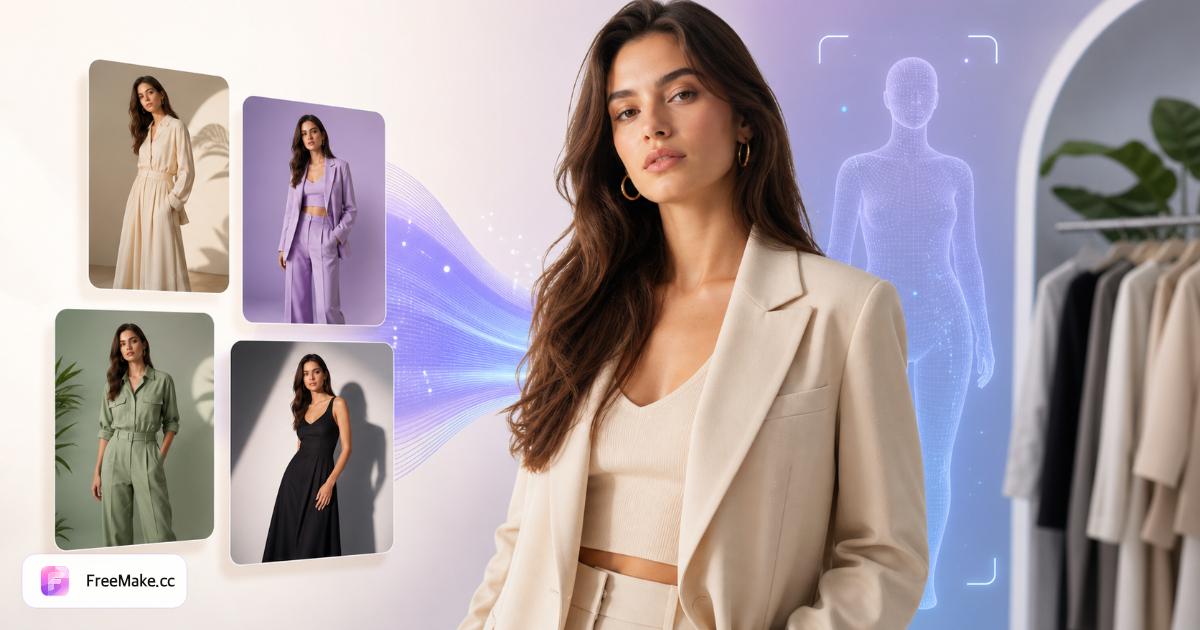
How to Turn Flat Lay Clothing into On-Model Photos
Upload a flat lay or hanger shot and generate studio-quality fashion campaigns. Switch ethnicity, pose, background, hairstyle, and age without booking models or locations.
Photograph the garment clearly
Flat lay on neutral background works best—full garment visible, even lighting, no heavy shadows. Hanger shots also supported.
Configure model presets
Pick ethnicity (Asian, European, American, Middle Eastern), age range, pose, background, and hairstyle to match your target market.
Generate on-model output
One credit per render. AI preserves fabric color, pattern, and texture while placing the garment on a realistic model.
Review before Taobao or TEMU publish
Verify fit, drape, and platform AI policies. Compress and resize for marketplace specs after download.
Why Virtual Fashion Models Save Apparel Sellers Money
Lookbook shoots cost thousands per SKU line. AI on-model generation lets apparel sellers test markets before investing in model photography.
No studio or model booking
Generate campaign-ready images from warehouse flat lays—ideal for Taobao, TEMU, and Shopify fashion listings.
Match target market demographics
Switch ethnicity and age presets for US, EU, or Middle East storefronts without reshooting.
Fast pose and background iteration
Test standing, walking, and editorial poses with boutique or street backgrounds in minutes.
FreeMake.cc vs Botika, Zmo.ai & Traditional Lookbook Shoots
AI fashion model tools vary on garment fidelity and marketplace presets. FreeMake.cc integrates with broader seller image toolchain on the same site.
| Feature | FreeMake.cc | Botika | Studio shoot |
|---|---|---|---|
| Flat lay to on-model | Yes | Yes | Requires shoot |
| Ethnicity / pose controls | Presets | Yes | Cast models |
| Turnaround | Minutes | Minutes | Weeks |
| Fabric pattern fidelity | Good — verify QA | Good | Natural |
| Linked resize & compress | Same site | Export only | Manual |
Model Photo Outputs and QA
Outputs are JPG/PNG for product galleries and social ads. Treat every render as an AI draft—check seam alignment, logo placement, and platform AI disclosure rules.
Flat lays with high contrast patterns work best. Pair with product scene generator for lifestyle slots and white-background tool for marketplace heroes.
- Flat lay input — neutral background, full garment
- Pose presets — standing, walking, editorial
- Market QA — verify fit before Taobao/TEMU live
- Post-process — compress and resize for specs
Fashion model generator FAQ
- What clothing photos work best?
Clear flat lays or hanger shots with the full garment visible on a plain background.
- Can I control model ethnicity?
Yes — choose Asian, European, American, or Middle Eastern presets, or describe in your prompt.
- Is the fabric drape realistic?
AI preserves garment color, pattern, and texture while generating natural fit on the model.
- Can I use images on Taobao and TEMU?
Yes for product listings. Review each platform's AI content policies before publishing.
- Flat lay or hanger photo?
Flat lay on a plain surface works best — full garment visible, even lighting.
- How much quota per model photo?
One generation credit per on-model output.
- Can I match target market ethnicity?
Yes — pick Asian, European, American, or Middle Eastern presets with pose and background.
- Review before publishing?
Treat outputs as AI drafts — verify fit, fabric, and platform AI policies before going live.
More free image tools
Explore other browser-based utilities on FreeMake.cc—all linked for quick access.