
For DTC brands & marketplace lifestyle listings
AI Product Scene Generator — Free Ecommerce Tool
Author: FreeMake.cc Imaging TeamLast updated:
Upload a cutout or plain product shot and generate photorealistic environments instantly.
- Use a clean packshot or remove the background first for best results.
- Choose kitchen, bedroom, cafe, beach, luxury, or seasonal presets.
- Download your scene image or regenerate with a different style.
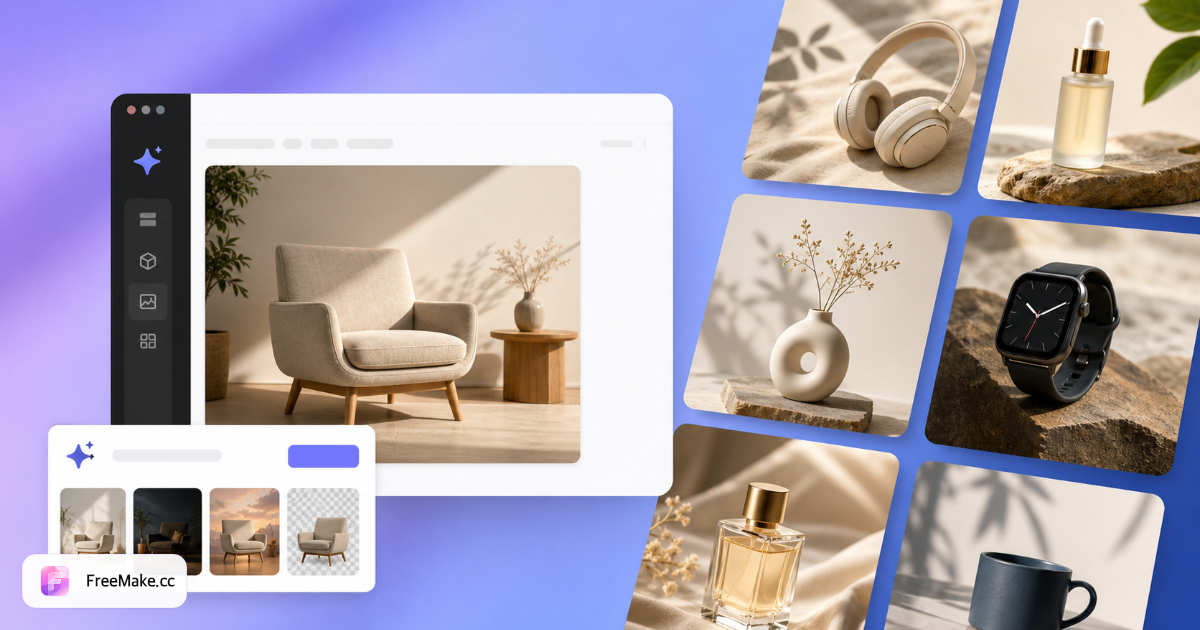
How to Create Product Lifestyle Scenes with AI
Turn plain packshots into kitchen, bedroom, cafe, beach, and seasonal environments. AI matches lighting and shadows so products look naturally placed—not pasted on stock backgrounds.
Upload a product photo or cutout
Clean packshots work; transparent PNG cutouts produce the most accurate placement. Remove background first for best shadow quality.
Pick scene presets or describe custom
Choose kitchen, living room, cafe, beach, luxury, or seasonal templates. Each preset shows a reference thumbnail in the workbench.
Generate and refine
One credit per scene/style. Download JPG/PNG or regenerate with a different environment until the composite matches your brand.
Pair with white-bg hero workflow
Use lifestyle scenes for secondary gallery slots; generate Amazon main images separately with the product image generator or white-background tool.
Why Lifestyle Product Scenes Lift Click-Through
Shoppers imagine products in their home. AI scene generation replaces expensive location shoots when you only have a studio packshot.
Fill gallery slots without location budgets
DTC brands and marketplace sellers add kitchen, bedroom, and outdoor context from one upload—critical for mobile scroll depth.
Test seasonal campaigns quickly
Swap beach, holiday, or cafe presets before committing to a full photoshoot for Q4 or summer collections.
Consistent shadow and lighting
AI composites match product lighting to the scene—cleaner than manual Photoshop cutouts for non-designers.
FreeMake.cc vs Pebblely, Mokker & Canva AI Background
Scene generators differ on cutout quality, preset depth, and seller workflow integration. FreeMake.cc targets ecommerce merchants who also need compliance and resize on the same domain.
| Feature | FreeMake.cc | Pebblely | Canva AI |
|---|---|---|---|
| Kitchen / cafe / beach presets | Yes | Yes | Templates |
| Cutout recommended workflow | Linked remove-bg tool | Built-in | Built-in |
| Ecommerce toolchain on same site | Compress, compliance | Export | Design suite |
| Custom scene prompt | Yes | Varies | Yes |
| Credits per scene | 1 credit | Subscription | Pro plan |
Scene Outputs and Best Practices
Downloads are JPG/PNG for Shopify galleries, Amazon A+ content, and social ads. Verify product scale looks realistic—AI may exaggerate size in wide-angle rooms.
Remove background before generating when shadows look flat. Compress outputs before upload if files exceed marketplace limits.
- Kitchen / bedroom — home goods and decor
- Cafe / outdoor — food, drink, and lifestyle SKUs
- Seasonal presets — holiday and summer campaigns
- Cutout first — transparent PNG for natural shadows
Product scene generator FAQ
- Do I need to remove the background first?
Not required, but a clean cutout gives the most accurate shadows and placement.
- Can I use my own scene description?
Yes — pick a preset or describe a custom environment in the prompt.
- Are shadows and lighting realistic?
AI matches product lighting to the scene for natural-looking composites.
- Which products work best?
Home goods, beauty, food, fashion accessories, and electronics all work well.
- Should I remove the background first?
Optional but recommended — clean cutouts produce better shadows and placement.
- How much quota per scene?
Each scene/style combination costs one AI credit.
- Can I preview scene styles before generating?
Yes — each scene preset shows a reference thumbnail in the workbench option grid.
- Output format?
JPG/PNG downloads with branded filenames — use compress if files are too large.
More free image tools
Explore other browser-based utilities on FreeMake.cc—all linked for quick access.