
For designers, sellers, and marketers who need scalable SVG
PNG/JPG to SVG – Free
Author: FreeMake.cc Imaging TeamLast updated:
Browser-based tracing with downloadable SVG
- Trace bitmaps to vector paths
- Batch up to 10 images
- 100% local processing
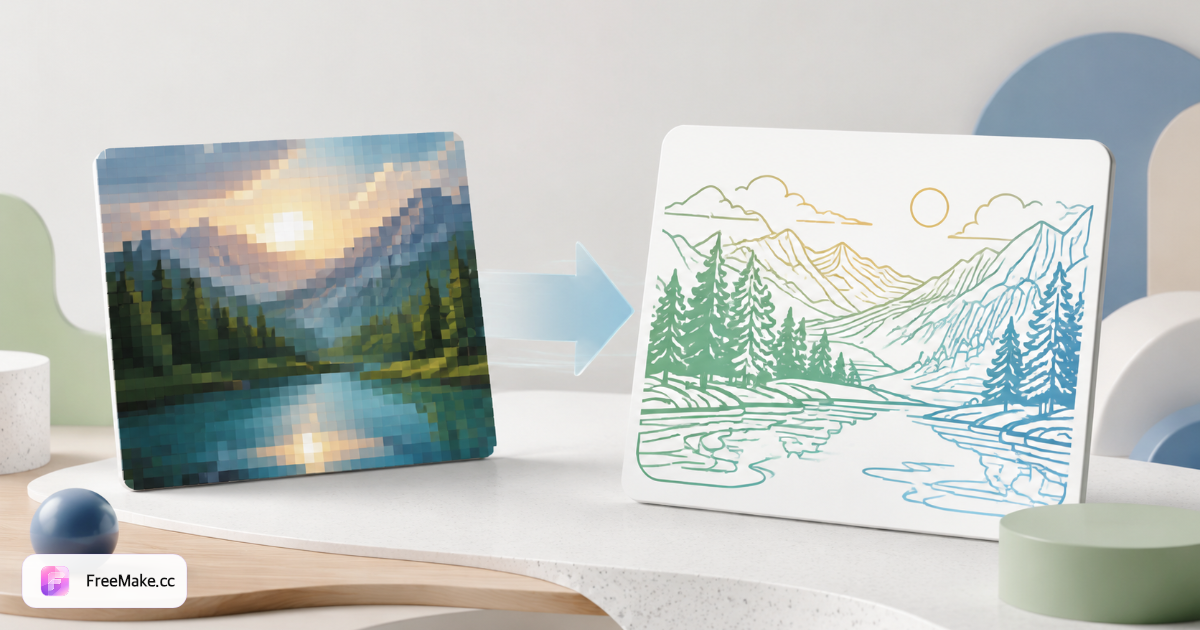
How to Convert Bitmap to SVG Online
Logos and icons on marketplace storefronts need infinite scalability without blur. FreeMake.cc bitmap-to-svg traces PNG/JPG artwork into SVG vectors locally in your browser—preview before download, no upload for standard tracing.
Upload high-contrast logo or icon
Flat brand marks, packaging symbols, and line art trace cleanly. Photographs and gradients are poor SVG candidates—stick to seller logos and UI icons.
Adjust trace sensitivity if available
Higher detail captures small strokes; lower detail simplifies noisy scans. Start from the largest PNG you have—upscale small raster logos modestly first.
Preview vector paths
Zoom into curves and corners before export. Simplify overly complex paths that inflate SVG file size on Shopify theme assets.
Download SVG for web or design handoff
Use in theme headers, favicons, and print-ready brand kits. Need EPS or AI for vendors? Use bitmap-to-eps or bitmap-to-ai tools next.
Why Vector Logos Matter for Brands
Raster logos blur on retina displays and oversized packaging proofs. SVG gives DTC sellers crisp branding across themes, invoices, and wholesale line sheets.
Crisp Shopify header logos
Theme logos scale to mobile and 4K without re-exporting from designers—trace once from legacy JPG brand packs.
Smaller assets for fast themes
Simple SVGs load faster than heavy PNG logos—supports Core Web Vitals on custom storefronts.
Local trace privacy
Unreleased rebrand marks stay on-device—no Vectorizer.ai upload during stealth launches.
FreeMake.cc vs Vectorizer.ai, Autotracer & Convertio
Vectorizer.ai delivers premium AI traces via upload. Autotracer and Convertio are server-side. FreeMake.cc traces locally for simple logos with seller toolchain links.
| Feature | FreeMake.cc | Vectorizer.ai | Autotracer |
|---|---|---|---|
| Local browser tracing | Yes | Cloud AI | Server upload |
| Logo / icon focus | Optimized | AI general | General |
| SVG download | Yes | Yes | Yes |
| Photo to SVG | Not recommended | Possible | Poor |
| Free no signup | Yes | Paid credits | Free limits |
SVG Tracing Best Practices
SVG (Scalable Vector Graphics) stores paths and fills—ideal for logos with solid colors. Gradients simplify to flat shapes in basic tracing; complex illustrations need manual vector redraw.
Remove colored backgrounds with remove-background before tracing logos shot on seamless paper. Export EPS or AI when print vendors reject SVG.
- SVG — web logos, icons, theme assets
- PNG input — high-contrast flat artwork
- Not for photos — use JPG for product listings
- Chain EPS/AI — print and Illustrator workflows
Bitmap to SVG FAQ
Tracing quality and format notes.
- Is this really free?
Yes. Tracing runs in your browser with no signup.
- Do photos vectorize well?
Flat graphics and logos work best. Complex photos may look posterized.
- Need EPS or AI instead?
Use our EPS or Illustrator-compatible AI converters.
- What images vectorize best?
High-contrast logos, icons, and line art work best. Photos are not ideal for SVG tracing.
- Need Illustrator AI or EPS instead?
Use our EPS or AI export tools for Adobe workflows.
- Will colors be preserved?
Simple palettes trace cleanly; gradients may simplify to flat shapes.
- Upscale raster before tracing?
Moderate upscale can help jagged logos—try upscaler on small sources first.
- Local processing?
Tracing runs in your browser—no upload for standard bitmap-to-SVG export.
More free image tools
Explore other browser-based utilities on FreeMake.cc—all linked for quick access.