
Portrait → pixel avatar (Discord / social)
Before

Pixel art

10px blocks keep facial structure—great for Discord avatars and emotes.
For designers, game creators, craft makers & social media users
Author: FreeMake.cc Imaging TeamLast updated:
Upload a photo, set pixel block size, preview instantly & export retro pixel PNG.
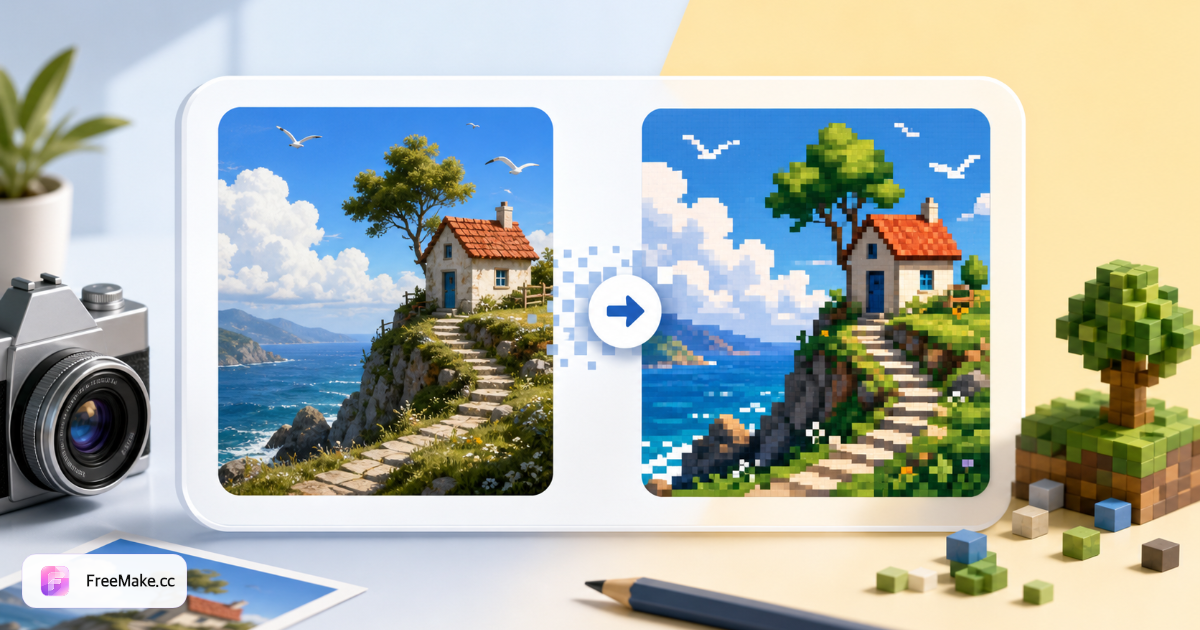
Before-and-after from FreeMake.cc's local pixelator—portraits, landscapes & pets with hard-edged retro pixels, not blurry mosaic.
Before
Pixel art
10px blocks keep facial structure—great for Discord avatars and emotes.
Before

Pixel art

12px chunks give aurora scenery a retro wallpaper feel—set as phone background.
Before

Pixel art

8px balanced grain with clear fur color blocks—print, frame or Perler reference.
FreeMake.cc image to pixel art downscales, quantizes and nearest-neighbor upscales in your browser—no install, no upload. Ideal for avatars, retro wallpapers and craft reference sheets.
Drop JPG, PNG or WebP. Portraits, landscapes and pets all work—high contrast helps. Files never leave your device.
Switch between 4px, 8px, 12px and 16px. Smaller blocks keep facial detail; larger blocks feel more 8-bit.
Compare original and pixel art on the right. For avatars, check the face still reads; for wallpapers, check overall color blocks.
Export for profile pics, social covers or print. Compress afterward if you need a smaller file.
Local processing protects privacy; hard-edge pixels feel genuinely retro; free export with no watermark suits everyday creators.
Photos stay on your device—safer than cloud pixelators for unreleased designs, kids' photos and commercial previews.
Nearest-neighbor upscaling keeps clean block boundaries—closer to hand-placed pixel art than a blur slider.
Same workflow for avatars, phone wallpapers, bead color charts and game prototype sprites—just change block size.
No signup or subscription. Download PNG when the preview looks right.
Match block size to your end use—common picks below.
Keeps more facial and texture detail—good for Perler charts, cross-stitch refs and small game sprites.
Best all-round pick for avatars, emotes and square social posts.
Bigger blocks, stronger nostalgia—great for phone wallpapers and wall art.
Large color fields—poster backgrounds, pixel logo variants and minimal style experiments.
Quick answers on photo pixelation, privacy & export quality.
Image to pixel art shrinks a photo to a low-resolution grid, snaps each block to a limited palette, then upscales with nearest-neighbor sampling so edges stay hard and square—like classic NES or Game Boy art—not a soft blur filter.
Upload JPG or PNG, pick a pixel block size—smaller keeps detail, larger looks more retro—preview the result, then download PNG.
No. Conversion, preview and export all run locally in your browser. Selfies, client work and unreleased assets never leave your device.
FreeMake.cc downscales, quantizes colors, then upscales with nearest-neighbor sampling so pixel edges stay crisp—no Gaussian blur smear.
Avatars & emotes: 8–12px. Wallpapers & prints: 12–16px for chunkier retro blocks. Perler bead charts: 4–8px to keep more detail per square.
JPG, PNG and WebP input. Export is PNG—ready for social, print or further editing.
Completely free, no signup, no watermark. Everything runs locally in your browser.
Yes on modern iPhone and Android browsers—pick from camera roll and save the result. Large images work best on desktop Chrome or Safari.
Yes. Use a smaller pixel block so each preview square maps to one bead or stitch. Crop the subject first for cleaner charts.
Crop to a square avatar ratio or adjust brightness first, then pixelate. Compress or convert format after export if needed.
Explore other browser-based utilities on FreeMake.cc—all linked for quick access.